A message lands from what looks like your bank. The spelling is perfect, the grammar is clean, and it uses your first name and your city like a real person wrote it in a hurry. For ten years the standard advice was to watch for typos and clumsy phrasing. That advice just stopped working.
An AI phishing email is a scam message written or personalized by generative AI, so it reads clean: correct spelling, natural grammar, your real name. The old tells are gone. To spot one in 2026, ignore the polish and check the mechanics: the sender’s real address, where links point, sudden urgency, and any request you did not start yourself.
What is an AI phishing email?
An AI phishing email is a scam message that a generative AI model wrote or personalized to trick you into clicking a link, logging in, or paying. The AI does not change the goal of phishing. It upgrades the disguise. A language model drafts fluent copy, adapts its tone to the brand it impersonates, and folds public details about you into the greeting, so the message reads like legitimate mail instead of a broken translation.
This is now the norm, not the fringe. According to KnowBe4’s Phishing Threat Trends Report, Volume 5 from March 2025, 82.6 percent of the phishing emails it analyzed between September 2024 and February 2025 showed some use of AI. By the time KnowBe4 published its next major update on April 30, 2026, that share had climbed to 86 percent. The clumsy phishing email is becoming the exception.
Why don’t the old phishing tells work anymore?
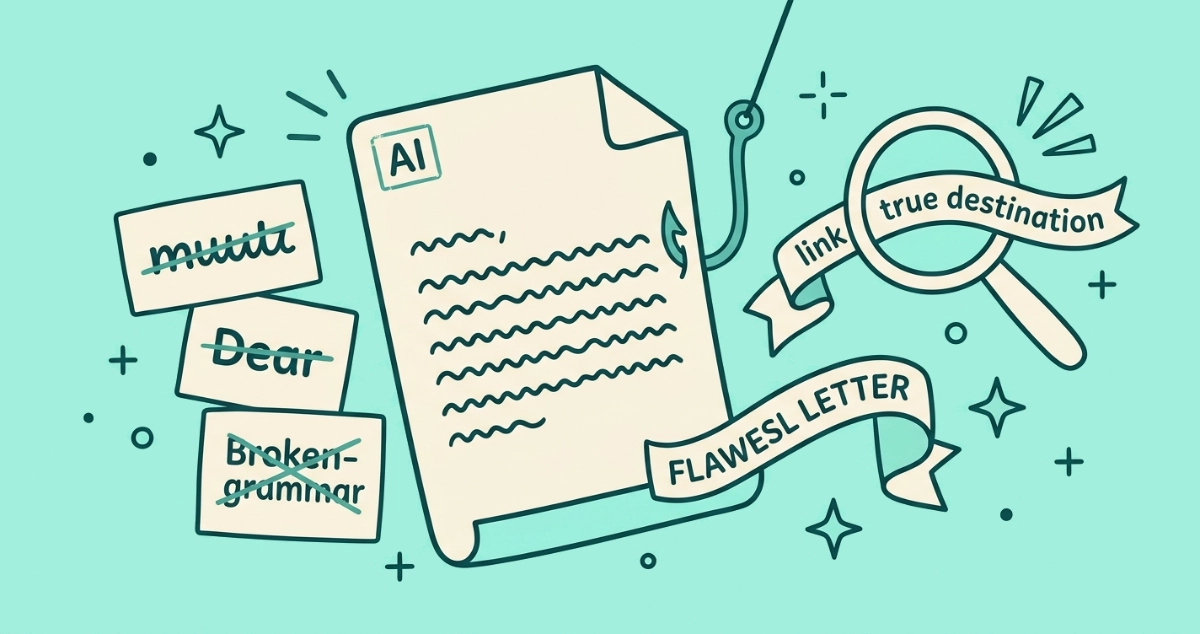
Because a language model erases every one of them for free. The classic advice named three giveaways: misspelled words, broken grammar, and a generic “Dear Customer” greeting. All three traced back to the same root cause, a scammer writing at volume in a language they did not speak well and did not care to polish. Generative AI removes that root cause completely.
It also removes the cost that used to keep slick phishing rare. According to IBM’s Cost of a Data Breach 2025 report, generative AI cut the time to write a convincing phishing email from as long as 16 hours down to roughly 5 minutes. When a good lure costs five minutes instead of two days, attackers produce far more of them, and they make each one personal. The tells you were trained on were never the real danger. They were just the cheapest thing to spot.
How do you spot an AI phishing email in 2026?
Stop reading the prose and start reading the plumbing. AI rewrites the words. It does not rewrite where a link goes, which address really sent the mail, or whether you asked for the message at all. Six checks catch what the polish hides.
- Read the real sender address, not the display name. The name at the top of a message is free text the sender picks. Tap or click it to reveal the actual email address behind it, then read the domain one character at a time.
support@paypa1.comis notpaypal.com. - Hover every link before you click. Rest your pointer over a link on desktop, or press and hold it on a phone, and read the true destination that appears. A model writes flawless copy around a link, but it cannot change where the link points. Our 60-second check for unsubscribe and email links walks through reading a domain correctly.
- Distrust urgency and countdowns. “Your account closes in 24 hours” is a pressure tactic, not a policy. Real companies rarely gate your access behind a ticking clock. The panic is the manipulation.
- Ask whether you started this. Legitimate mail usually answers something you did: a purchase, a reset you requested, a shipment you are expecting. An unprompted alert demanding that you log in or pay is the shape to distrust, no matter how well it is written.
- Never sign in from an email link. No genuine login, payment, or account page needs you to arrive through a message. Open the company’s site yourself in a fresh tab and sign in there.
- Believe your provider’s warning banners. Gmail, Outlook, and Apple Mail flag mail that fails authentication or looks spoofed. When a caution banner sits at the top of a message, trust it over the friendly words below.
None of these checks read the writing. They read the mechanics underneath it, which is the one layer AI cannot make look right.
How do you verify a sender you weren’t expecting?
Contact them yourself, on a channel you chose, not the one printed in the message. If an email or a call claims to be your bank, your boss, or a relative in trouble, treat the contact details inside it as untrusted. Look up the real number independently and call it back.
The FBI recommends exactly this. In its December 3, 2024 public warning, Criminals Use Generative Artificial Intelligence to Facilitate Financial Fraud, the Bureau advised people to verify a caller by hanging up, researching the organization’s real number, and dialing it directly. It also suggested agreeing on a secret word with your family so you can confirm a real person during a suspicious call or voice message. The principle is plain. The sender does not get to supply the proof of who they are.
Are AI phishing emails really more effective?
Yes, and by a wide margin. A 2024 study by Fred Heiding, Simon Lermen, Bruce Schneier, and colleagues, published on arXiv in November 2024, tested phishing emails on real human subjects. Fully AI-automated phishing hit a 54 percent click-through rate, matching emails written by human experts, while an arbitrary control group of generic phishing landed at 12 percent. The AI campaign ran about 350 percent better than the baseline, with no person writing each message.
Microsoft’s 2025 Digital Defense Report reached the same neighborhood, reporting that AI-generated lures drew a 54 percent click rate against 12 percent for manually written ones, roughly 4.5 times more effective. You are not the weak link here. The emails got measurably better at looking real, which is why the defense has to shift from judging the writing to checking hard signals.
What about AI voice and video phishing?
The same tools now clone voices and faces, and the tell has moved with them. Attackers use AI to fake a phone call from a relative or a video message from an executive, then ask for money or credentials under pressure. The FBI’s December 2024 warning notes small imperfections that still leak through: distorted hands or feet in video, unnatural teeth or eyes, and an off tone or odd word choice in cloned audio. Those artifacts shrink every year, so the durable defense is the same out-of-band check you use for email. Hang up and call back on a number you looked up yourself. A cloned voice cannot pass a verification you control.
Does AI phishing ever hide behind an unsubscribe link?
It can, and the unsubscribe link is a favorite disguise. Attackers count on a reflex: years of inbox cleanup taught you the unsubscribe link is the safe, boring one, which makes it a quiet place to hide a hook. An AI-written spam message with a fake footer link reads even more convincingly than the old versions did. We cover that specific scam, and what to do if you already clicked one, in our guide to how phishing hides behind fake unsubscribe links.
Can shrinking your inbox lower your phishing risk?
Fewer senders means fewer messages to misjudge. Every list you are on is another envelope you have to sort real from fake each morning, and AI has made that judgment harder across all of them. You cannot un-invent AI phishing, but you can cut the volume of mail you screen and the number of footer links you are tempted to open. The stakes behind that clutter are real, and our roundup of what spam and phishing actually cost puts numbers on them.
The habits that help are the dull ones. Give out fewer real addresses. Report hostile mail as phishing rather than just deleting it, so your provider learns to catch the next one. And get off the legitimate lists you no longer read, which is the slow part once years of subscriptions have piled up. Our guide to stopping spam emails for good covers the full routine.
Doing that last step by hand is tedious, and every footer link you open is one more roll of the dice. Email Unsubscriber scans your Gmail or Outlook inside your own browser, lists every subscription sender, and fires the real one-click unsubscribe wherever a sender supports it, which keeps you off footer landing pages entirely. It does not read your mail for phishing, and it is not a spam filter. It shrinks the pile you have to watch. The scan runs on your device, and we never read, analyze, or monetize your email content.
The takeaway
AI did not invent phishing. It retired the tells you used to catch it. The perfect spelling, the clean grammar, the message that knows your name: none of it is evidence anymore that a stranger sent it, because a model produces all of it in five minutes. So change what you check. Read the sender’s real address, hover the links, distrust the countdown, and verify any surprise request on a channel you chose yourself. The writing turned flawless. The plumbing underneath still tells the truth.