You have the email open, your cursor is resting on the small gray unsubscribe link at the bottom, and you are not sure whether clicking it ends the newsletter or opens a trap. That hesitation is worth listening to. You can settle the question in under a minute without guessing.
You can decide in under a minute. Before clicking, run three checks: read where the link actually points (hover on desktop, long-press on mobile), confirm its domain matches the sender you recognize, and refuse any page that asks for a password. If the sender is a stranger or the email sits in spam, mark it as spam instead.
What does “safe” mean for a single unsubscribe link?
“Safe” here covers two different risks, and the checklist below handles each one separately. The first risk lives in the link’s destination: a fake unsubscribe page can copy a real one to steal your password or push malware. The second risk lives in the act of clicking at all: on a genuine spam message, any click confirms your address is live and invites more mail.
The checks that follow defend against the destination risk for senders you have some reason to trust. The address-confirmation risk is why strangers and spam-folder messages never get the checklist at all. They get marked as spam. Keep both risks in mind as you read, because the right move depends on which one you are facing. This post stays on one link at a time; for the broad verdict on when clicking unsubscribe is safe or risky across your whole inbox, when it is safe to click unsubscribe is the full answer.
The 60-second checklist before you click
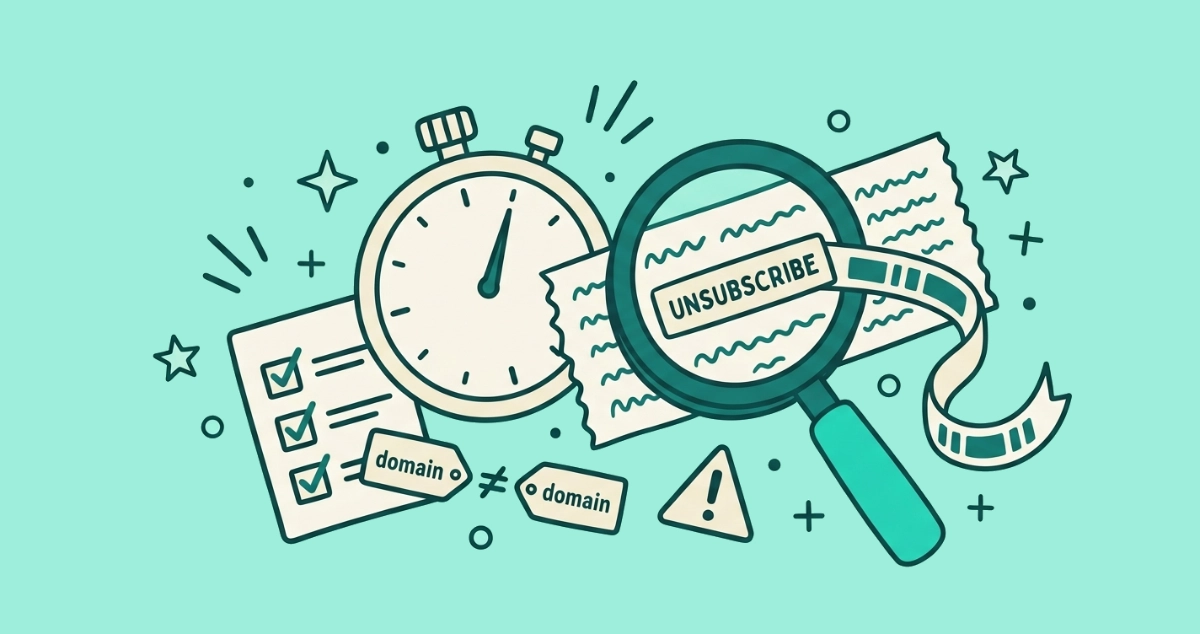
Run these three checks in order. Each one takes about 20 seconds, and any single failure means you stop and mark the email as spam.
- Read where the link really goes (0 to 20 seconds). On a computer, rest your mouse over the unsubscribe link without clicking and read the destination in the status bar at the bottom of the window. On a phone, press and hold the link until a preview sheet appears. You are looking for the actual web address, not the word “unsubscribe.”
- Compare that domain to the sender (20 to 40 seconds). Find the real domain in the address you just previewed and check it against the sender’s From address. A newsletter from
nytimes.comshould point somewhere onnytimes.com, notnytimes-mailer.xyz. A mismatch ends the check here. - Refuse any request beyond confirmation (40 to 60 seconds). A real opt-out asks for nothing but a yes. If the page or the email wants your password, your card, a download, or acts urgent and threatening, close it. None of that belongs in an unsubscribe.
Pass all three and the link is almost certainly safe to click. Fail any one and you have your answer: leave the link alone and mark the message as spam.
How do you read where an unsubscribe link actually goes?
You preview the link without opening it, and the method depends on your device. This step matters because the visible text of a link and its true destination are two separate things. A link can read “Unsubscribe” or even show a real-looking address while pointing somewhere else entirely.
On a desktop or laptop, hover your mouse pointer over the link and hold it still. Your browser or mail client prints the true destination in the status bar along the bottom edge of the window. In Gmail’s web view, mousing over the footer link shows the same thing. Read that address, not the link text.
On a phone or tablet, there is no hover, so press and hold the link for about a second. iOS and Android both open a preview sheet that shows the full URL before you commit. Lift your finger without tapping “Open” and you have inspected the link without loading anything. This is the step most people skip on mobile, and it is exactly where footer-link traps do their work.
How do you know if the domain matches the sender?
You read the real domain from the destination address, which is a specific spot most people misread. The real domain is the last two words before the first single slash. Everything to the left of that is a subdomain the sender can set to anything they like, and that is the whole trick.
Walk through three examples with the rule in hand:
email.marketing.brand.com/unsubscribe?id=88: the last two words before the first slash arebrand.com. This belongs to brand.com. Safe pattern.brand.com.secure-verify.xyz/opt-out: the last two words before the first slash aresecure-verify.xyz. Thebrand.comin front is just a subdomain label. This belongs to secure-verify.xyz, a stranger. Trap.brand-account-support.com/unsub: the real domain isbrand-account-support.com, which is notbrand.com. Bolting familiar words onto a different domain is a classic lookalike. Trap.
Two more tells round this out. A single-letter swap like brandd.com or rn standing in for m disguises a hostile domain as a familiar one, so read every character, not the shape of the word. And a shortened link (bit.ly/x7k) hides the destination completely, which means you cannot verify it, which means treat it as unsafe. One quirk to note: country domains like co.uk use three words, so shop.brand.co.uk still belongs to brand.co.uk. When you are unsure, the safer read is the stricter one.
When should you skip the link and mark as spam instead?
Some emails do not earn the checklist, and running it on them wastes the minute and risks the click. Do not inspect the link at all when any of these is true. Mark the message as spam and move on.
- You do not recognize the sender. A stranger’s unsubscribe link has no upside and every downside.
- The message is already in your spam folder. Your provider flagged it for a reason. Trust that.
- It impersonates a brand you use but the tone, formatting, or address feels off from their usual mail.
- It demands a login, payment, or urgent action. That is not a marketing email behaving normally.
Marking as spam does two useful things at once. It teaches your provider’s filter to catch similar messages, and it sends no signal back to the sender that a real person read the mail. You cannot be phished by a spam-marking action, which is why it is the safe default whenever the checklist would otherwise be a coin flip. Our decision guide on unsubscribe versus mark as spam walks through where each button belongs.
What can the checklist not tell you?
The checklist confirms where a link goes, not whether the sender deserves your trust. A domain can match the From address perfectly and the sender can still be a low-grade list broker who treats your click as proof your address is worth reselling. Matching the domain rules out the phishing page. It does not rule out the address-confirmation problem on a sender you had no reason to trust in the first place.
This is the reason strangers get marked as spam rather than checked. According to a DNSFilter analysis reported by The Wall Street Journal in 2025, roughly 1 in 644 unsubscribe links leads to a malicious site, and the FBI’s Internet Crime Complaint Center logged 193,407 phishing and spoofing complaints in its 2024 annual report, the most of any crime category that year. The checklist shrinks your exposure to that traffic. It does not erase it. If you have already clicked something that turned out to be a fake page, our guide on how fake unsubscribe links work covers exactly what to do next.
Is there a way to skip the check every time?
Yes. Use the Unsubscribe button your mail app shows at the top of the message, near the sender’s name, rather than the link buried in the footer. That top button never opens a web page. When you tap it, your email client sends a quiet request straight to the sender under the RFC 8058 one-click standard, so there is no destination to inspect and no page for an attacker to fake.
Gmail and Yahoo have required this one-click header from bulk senders who mail more than 5,000 messages a day to their users since February 2024, so the top button now appears on most legitimate marketing mail. When it is there, prefer it. When it is missing, the sender either lacks the volume to qualify or has not kept up with modern standards, and you fall back to the footer link and the checklist above. For the full mechanics, see our explainer on what one-click unsubscribe does.
Running that judgment across years of piled-up senders by hand is slow, and every footer link you open is one more roll of the dice. A tool that reads each sender’s unsubscribe headers and fires the safe one-click request wherever it is supported keeps you off landing pages entirely. Our Email Unsubscriber app does this from inside your browser, dispatching genuine one-click unsubscribes where senders support them and flagging the rest with a caution note so you know which ones only offer an old-style link. The scan runs on your device, so your email content never reaches our servers.
The takeaway
You do not need to gamble on an unsubscribe link. Read where it points, match its real domain against the sender, and refuse any page that asks for more than a yes. Those three checks fit inside a minute. When the sender is a stranger or the mail is already in spam, skip the link and mark it as spam, because that path cannot be turned against you. And when your mail app offers its own top-bar Unsubscribe button, take it, because a link you never have to inspect is the safest one of all.