You forward a work thread to a new teammate, or send a funny newsletter to a friend. You think you handed them one message. You handed them the whole stack underneath it, plus a set of details that never show up on screen.
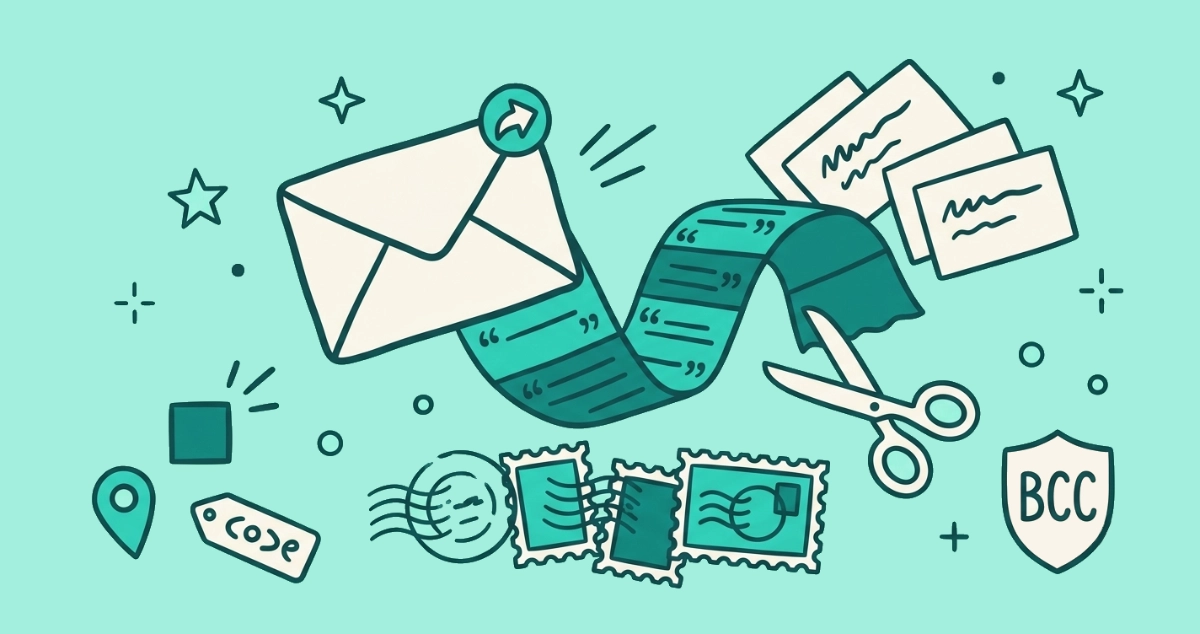
Forwarding an email carries more than the text you see. The quoted body usually reproduces the original To and Cc lines, exposing everyone’s addresses. The full headers reveal the routing path and sometimes an IP address. Hidden tracking pixels re-fire when the message is reopened. Trim the thread, use Bcc, and watch remote images.
What does forwarding an email actually reveal?
Four things travel that you never typed. The visible note you add sits on top, but underneath it rides the quoted thread, the original recipients’ addresses inside that thread, the full technical headers, and any remote content the message carried, including tracking pixels.
Each of those leaks in a different way. The quoted thread hands your reader old replies you may have forgotten were there. The address lines in it expose everyone who was ever copied. The headers describe the path the message took and, in some cases, where it started. The remote images phone home again the moment the new reader opens the message. None of this is a bug. Forwarding is designed to preserve the original, and preservation is the whole problem.
What is in an email header, and what does it expose?
The header is the routing log every mail server writes as your message travels, and almost nobody opens it. Each server that handles a message prepends a Received line recording when it got the message, the server it came from, and the protocol used. Read from the bottom up, those lines trace the message from its origin to your inbox. The format is set by RFC 5321, the internet standard for how mail moves (IETF, 2008).
Those lines can carry your IP address, which resolves to a city and an internet provider. Whether they do depends on how you sent the message. Gmail, Outlook.com, Yahoo, and Proton strip your home IP out of anything you compose in their web apps, so a forwarded Gmail message shows Google’s server IPs rather than yours. Mail sent from a desktop client over SMTP, or from many corporate servers, still stamps the originating IP into the header. When you forward that message, you forward its full header history along with it, so the routing trail and any IP inside it travel to your new recipient too.
Does forwarding expose other people’s email addresses?
Yes, and this is the leak that bites people most often. When you forward, your mail app reproduces the original From, To, and Cc lines as part of the quoted body. Everyone you forward to can then read the full list of who was on the thread. Bcc recipients from the original message are the exception, since they were hidden and stay hidden, though an earlier reply that says “looping in Sam” can still give them away.
Regulators treat this as a real breach, not a nuisance. In May 2016 the UK Information Commissioner’s Office fined an NHS trust £180,000 after the 56 Dean Street sexual-health clinic sent a newsletter that placed 781 patients’ addresses in the To field instead of Bcc, revealing to each recipient that the others had attended an HIV clinic (Digital Health, 2016). The mistake keeps recurring. In 2024 the ICO fined the Central YMCA £7,500 for a near-identical Cc blunder that exposed 264 people on an HIV support programme, and published fresh guidance urging bulk senders to drop Cc for a Bcc-safe method (ICO, 2024). Forward a group email to one more person and you can hand a stranger the same list.
Do tracking pixels fire again when you forward an email?
Yes. A tracking pixel is a remote image, so it fetches from the sender’s server every time a mail app renders the message and loads images. Forward a tracked newsletter and the person you send it to triggers a fresh fetch when they open it, which logs a new open along with their rough location, device, and mail client. That reader never subscribed, yet the sender now has a data point on them.
There is a second effect worth naming. The original sender can watch the message spread, because each new open and each click on a tracked link fires from a device that is not yours. The pixel mechanic and how to block it are covered in our piece on spy pixels; the short version is that turning off remote images before you forward stops the fetch on both ends.
What can a forwarded email reveal about you?
Your own address rides along in every forward you send, and a live address is a tradeable asset. Once your message enters a thread that gets forwarded again, and then again, you lose track of where your address lands and who adds it to a list. A copied address that someone confirms a real person reads is exactly the kind that gets sold and resold, which is how one leaked address turns into years of spam.
The content matters as much as the address. Long threads collect phone numbers, home addresses, calendar links, and offhand remarks that were fine among the first few people and are not fine three forwards later. You wrote those lines for one audience. Forwarding quietly widens the audience without asking you.
How do you forward an email without leaking?
Six habits keep a forward from carrying more than you mean. Run through them before you hit send on anything sensitive.
- Trim the quoted thread. Delete everything below your note that the recipient does not need. Most leaks live in the part you stopped reading.
- Strip the old address lines. If you must keep some context, remove the original To and Cc addresses from the quoted block so you are not handing over other people’s contact details.
- Use Bcc for more than one recipient. Put every address in the Bcc field and nobody sees the full list. This is the single move that would have prevented both ICO cases above.
- Block remote images first. Turn off automatic image loading in your mail client, or forward as plain text, so tracking pixels cannot fire on the new reader.
- Paste the text instead of forwarding. When only the words matter, copy them into a fresh email. That drops the old headers, the address lines, and any embedded trackers in one step.
- Open the headers when the stakes are high. For a message you are unsure about, view the original and check what the
Receivedlines and any IP fields expose before you pass it on.
The outcome is a forward that carries your note and the point you meant to make, and nothing hiding in the wrapper around it.
Should you worry when someone forwards an email about you?
You cannot control a message once it leaves your outbox, so the safe assumption is that anything you send can be forwarded. Keep the most sensitive details out of email, and shrink the number of senders holding your real address. Both habits limit what a stray forward can expose.
Two moves help. Give each new site a masked email alias instead of your main address, so a forward that spreads the alias never exposes the address you actually read. And cut down the marketing senders whose tracked newsletters you would otherwise forward in the first place. That last part is slow to do by hand across years of subscriptions. Email Unsubscriber scans your Gmail or Outlook inside your own browser, lists every subscription sender, and fires the real one-click opt-out where the sender supports it. The scan runs on your device, and we never read, analyze, or monetize your email content. You can run it on your own inbox and clear the backlog in one sitting.
The takeaway
A forwarded email is never just the words on screen. It carries the quoted thread beneath your note, the original recipients’ addresses inside that thread, the routing headers with their timestamps and sometimes an IP, and any tracking pixel that re-fires when the next person opens it. Trim the thread, strip old address lines, use Bcc for groups, and block remote images before you pass anything on. The less a message carries that you did not choose to send, the smaller the surprise waiting for you three forwards down the line.