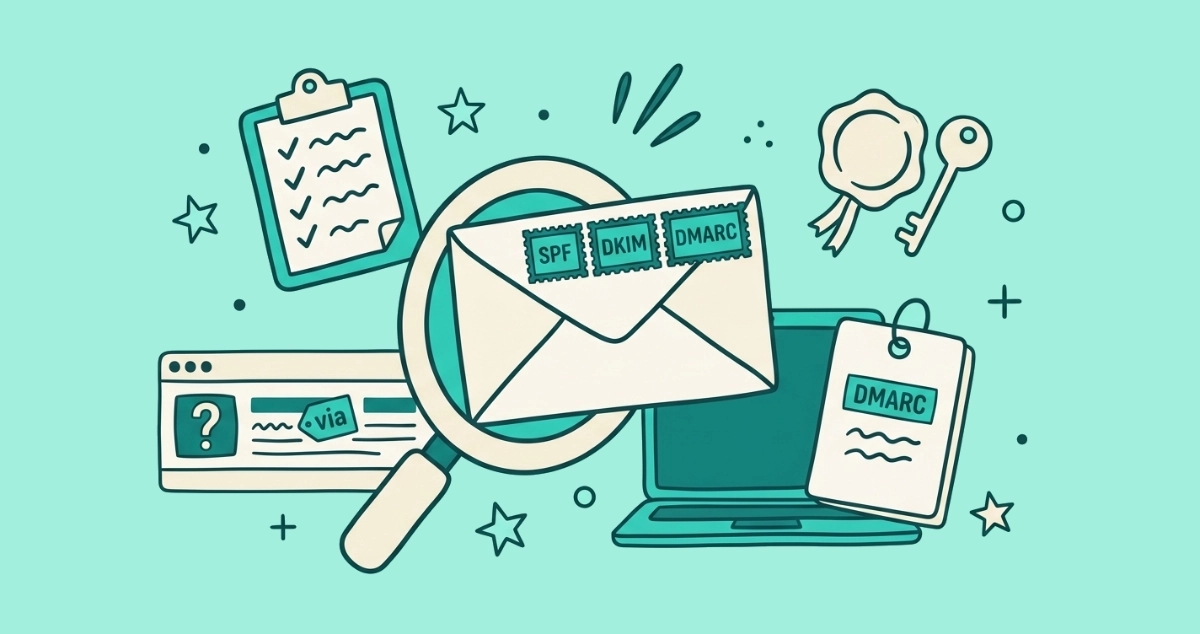
You clicked the little arrow under a sender’s name in Gmail and found a few odd lines. Maybe mailed-by: mail.shopify.com, maybe signed-by: shopify.com, maybe a gray via tag, or a red question mark sitting where the sender’s photo should be. Those labels are Gmail reporting the result of three checks that run on every message before it reaches you.
SPF, DKIM, and DMARC are three checks that prove an email came from the domain it claims to. SPF lists which servers may send for a domain, DKIM adds a tamper-proof signature, and DMARC ties both to the visible From address and sets what happens on failure. Gmail’s via, mailed-by, and question-mark labels report the results.
What are SPF, DKIM, and DMARC?
SPF, DKIM, and DMARC are three email authentication standards that let your mail provider verify a message actually came from the domain in its address. Email was built in the early 1980s with no way to check who sent a message, so anyone could type any address into the From line. These three standards, added decades later, close that gap. SPF checks the sending server, DKIM checks a signature, and DMARC ties the first two to the name you actually see.
The IETF published each as a separate standard: DKIM as RFC 6376 in September 2011, SPF as RFC 7208 in April 2014, and DMARC as RFC 7489 in March 2015. You never touch any of them. Senders set them up in their domain settings, and your provider reads the results for you the moment a message lands.
What is SPF, in plain English?
SPF, short for Sender Policy Framework, is a public list of the mail servers allowed to send email for a domain. Picture a guest list posted on the door. The domain owner publishes, in their DNS settings, the addresses of every server permitted to send on their behalf. When a message arrives, your provider looks at the server that actually delivered it and checks whether that server is on the list. On the list, SPF passes. Missing from it, SPF fails.
SPF catches the crudest forgery, a random server pretending to send mail as your bank. It has two blind spots. It never reads the message contents, and it inspects a hidden envelope address rather than the From line you see. Closing that second gap is exactly the job DMARC was built for.
What is DKIM?
DKIM, short for DomainKeys Identified Mail, adds a tamper-proof signature to a message. When a domain’s server sends mail, it signs part of the message with a private key that only that domain holds. The matching public key sits in the domain’s DNS for anyone to read. Your provider recomputes the signature with that public key and checks it. A match proves two things at once: the message really came from that domain, and nobody altered it along the way.
Think of a wax seal on an envelope. The seal carries a design only the sender owns, and a broken or wrong seal warns you the letter was opened or faked. DKIM is that seal done with cryptography instead of wax. The domain named in the signature becomes the signed-by line you can read in Gmail.
What is DMARC?
DMARC, short for Domain-based Message Authentication, Reporting, and Conformance, is the rule that ties SPF and DKIM to the address you actually see. SPF and DKIM each vouch for a domain, but not always the domain in the visible From line. DMARC requires them to match, a rule called alignment, so a message can no longer pass SPF for one domain while showing you a different one.
DMARC also lets the domain owner tell providers what to do with mail that fails. There are three settings. A policy of p=none means watch but deliver anyway. p=quarantine means drop failing mail into the spam folder. p=reject means refuse it outright, so it never reaches you. The owner also receives regular reports naming every server that sent mail as their domain, which is how a company discovers someone spoofing it. When a message “passes DMARC”, SPF or DKIM lined up with the name on the message and satisfied that sender’s own policy.
What do “mailed-by” and “signed-by” mean in Gmail?
Those two lines are Gmail showing you which check passed and for which domain. Open a message, click the arrow or Show details under the sender’s name, and Gmail lists them. According to Google’s help pages, mailed-by names the domain that passed SPF, and signed-by names the domain that signed the message with DKIM. When a newsletter reads mailed-by: mail.shopify.com and signed-by: shopify.com, Gmail is telling you SPF and DKIM both checked out.
For a domain sending mail about itself, both lines usually name the same domain. When a company hands its mail to an outside service, the mailed-by domain often belongs to that service instead. That is normal and not a warning on its own.
What does the “via” line mean in Gmail?
The “via” line appears when the domain that sent a message does not match the domain in the From address. Google states it plainly: you see “via” and a website name when “the domain it was sent from doesn’t match the domain in the ‘From:’ address.” A newsletter from news@brand.com sent through Mailchimp’s servers can show up as brand.com via mailchimpapp.net.
A “via” line is information, not an alarm. It usually means the message passed SPF for the sending service but carries no DKIM signature aligned to the brand’s own domain. Once a sender signs with a DKIM key that matches their From address, the “via” disappears, which is why large, well-configured senders rarely show one. Google also notes you cannot remove a “via” from mail you receive. It exists so you can see where a message really came from.
What does the question-mark icon mean in Gmail?
A red or gray question mark where the sender’s photo should be means Gmail could not authenticate the message. In Google’s words, “if you see a question mark next to the sender’s name, the message isn’t authenticated,” so Gmail cannot confirm it came from the domain it claims. SPF, DKIM, and DMARC either failed or were never set up.
Treat the icon as a reason to slow down, not as proof of a scam. Google is careful to note that legitimate senders, especially small ones and mailing lists, sometimes fail authentication too. Forwarding a message can break SPF, and a mailing list that rewrites the subject can break the DKIM signature, so a genuine message occasionally fails through no fault of the sender. A question mark on a message that pressures you to log in, pay, or click deserves real suspicion. The same icon on a hobby newsletter usually just means the writer never configured the records.
How do I check SPF, DKIM, and DMARC on an email myself?
You can read the raw verdict in under a minute. The full result lives in a header called Authentication-Results.
- Open the message and choose Show original. In Gmail, click the three-dot menu near the reply arrow and choose Show original. Gmail opens the raw message in a new tab.
- Read the summary box. At the top, Gmail prints SPF, DKIM, and DMARC each on its own line with a PASS or FAIL beside it.
- Scan the Authentication-Results header. In the raw text, search for
Authentication-Results. It records the same three checks in one line, for examplespf=pass,dkim=pass,dmarc=pass. - Match the domains. Confirm the domain beside
dkim=passorspf=passis the one you expected from the sender, not a lookalike likepaypa1.com.
Expected outcome: three PASS results from a domain you trust means the message is authenticated. Any FAIL, or a domain you do not recognize, is a signal to be cautious with the links and requests inside.
Why does email authentication matter for spam and phishing?
Authentication is what makes domain spoofing hard. Before SPF, DKIM, and DMARC, a scammer could put paypal.com in the From line and send from anywhere, and your inbox had no way to object. With a strict DMARC policy in place, a forged message fails the check and gets rejected or filed as spam, so the impersonation never lands in front of you.
This is why the big providers now demand all three from bulk senders. Gmail and Yahoo began requiring SPF, DKIM, and DMARC from high-volume senders in February 2024, and Microsoft followed for Outlook.com in May 2025, a shift we walk through in the bulk-sender crackdown. The same records feed the sender logos and blue checkmarks some brands now show in your inbox, since that badge requires a DMARC policy before a logo can appear.
Does passing SPF, DKIM, and DMARC mean an email is safe?
No. Authentication proves who sent a message, not whether you should trust what it says. A scammer can register their own domain, set up flawless SPF, DKIM, and DMARC, and send you perfectly authenticated phishing from it. The checks confirm the mail truly came from scam-lookalike.com. They say nothing about the intent of the person behind it.
That gap is why modern phishing still works, and why we cover spotting AI-written phishing and fake unsubscribe links in their own guides. Authentication is a strong signal about the envelope. It is not a verdict on the contents.
Where does unsubscribing fit in?
Authentication clears out forged mail, and it does nothing about the mail you genuinely signed up for and no longer read. Every one of those newsletters and promos passes SPF, DKIM, and DMARC cleanly, because a real company is sending them from a real domain. The only thing that stops that flood is an unsubscribe.
Doing that across years of senders by hand is the slow part. Email Unsubscriber scans your Gmail or Outlook inside your own browser, lists every subscription sender, and fires the real one-click unsubscribe wherever a sender supports it. The scan runs on your device, the access stays read-only, and we never read, analyze, or monetize your email content.
The takeaway
SPF, DKIM, and DMARC are three background checks that answer one question: did this email really come from the domain on the label? SPF checks the server, DKIM checks a signature, and DMARC ties both to the name you see and decides what happens when they fail. The gray “via”, the mailed-by and signed-by lines, and the red question mark are Gmail showing you the results in plain sight. Now you can read them.