You signed up for a seven-day free trial, forgot about it, and now there is a charge on your statement and a receipt in your inbox for a service you barely used. The cancel button was easy to miss, and it turns out deleting the emails did nothing to the billing.
A free-trial subscription trap is a signup that makes the free offer easy to start and the cancellation hard to find, so a trial you forget about rolls into automatic recurring charges. To escape one, cancel the billing inside your account before the deadline, then unsubscribe from the sender’s list separately to stop the mail.
What is a free-trial subscription trap?
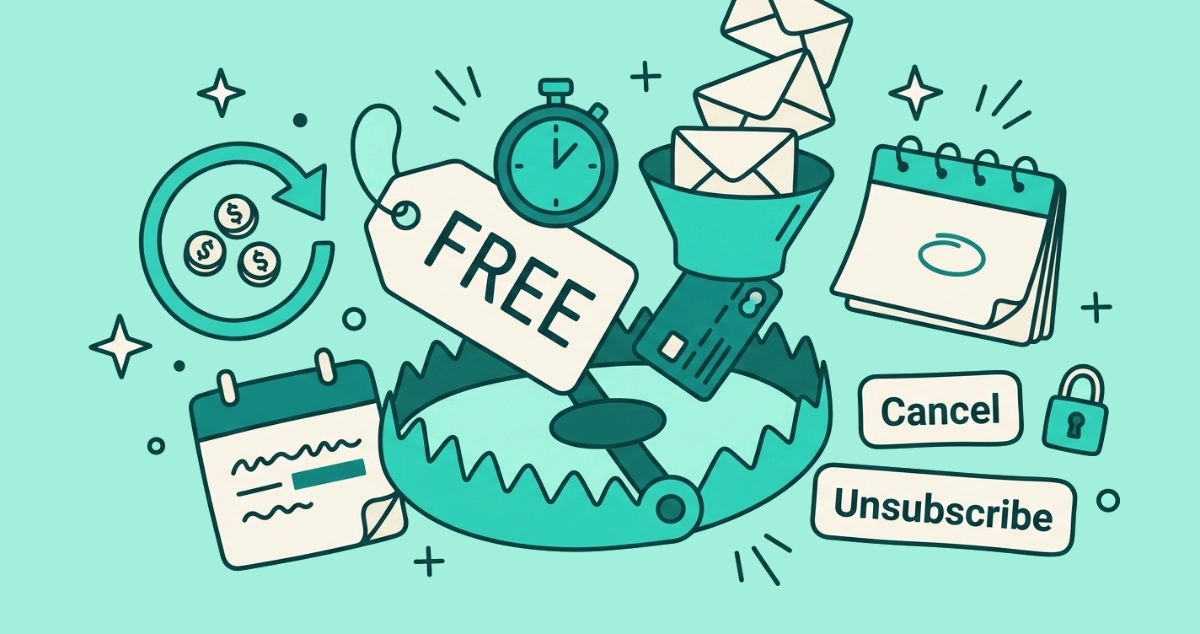
A free-trial subscription trap is a signup engineered so that starting is effortless and stopping is not. You enter a card for a “free” trial, a hidden clock starts, and when it runs out the trial converts to a paid plan that renews on its own. The business is betting you forget.
The mechanism has a name: negative option billing. According to the Federal Trade Commission, a negative option treats your silence or your failure to cancel as agreement to be charged. You never actively say yes to the recurring payment. You just fail to say no in time, and the charge lands. Free trials that demand a card before you have used anything are the most common version of this, and the card is there for exactly one reason: so the company can bill you the moment the trial ends.
How does the email funnel spring the trap?
The trap runs on email, and every message in the sequence is placed to keep you enrolled. It starts the second you sign up and does not stop when the billing does.
Here is the sequence a well-built trap sends, and what each message is really doing.
- The welcome email. It arrives immediately, congratulates you on the trial, and frames the whole thing as a gift. The instructions for cancelling are buried near the footer, written vaguely, or replaced by a link to an account page that only opens after you log in.
- The engagement drip. Over the trial window you get “don’t lose your progress” and “you have unlocked a feature” messages. These build a sense that you have something to lose, and they quietly avoid mentioning the date your card gets charged.
- The missing reminder. This is the important one. An honest sender emails you a clear “your trial ends tomorrow and your card will be charged” notice. A trap stays silent. The message that would save you is the one it chooses not to send.
- The receipt. The first email that names the charge often arrives after the money is gone. It reads as a routine transaction, not a warning, because by then the warning would be inconvenient.
That silence around the billing date is a design choice. The funnel is tuned to keep you comfortable until the charge clears, then to make the receipt feel normal.
Is negative option billing legal?
Negative option billing is legal, but only when the seller follows strict rules, and many traps break them. In the United States, online subscriptions and free trials fall under the Restore Online Shoppers’ Confidence Act of 2010, known as ROSCA. According to the FTC’s summary of the statute, a seller must clearly and conspicuously disclose the terms before taking your billing information, get your express informed consent to the charges, and give you a simple way to cancel.
Hide the renewal terms, pre-check a consent box, or route cancellation through a maze, and the practice crosses from legal into deceptive. Regulators treat that seriously. In September 2025 the FTC secured a 2.5 billion dollar settlement with Amazon, covering a 1 billion dollar civil penalty and up to 1.5 billion dollars in refunds to an estimated 35 million consumers, over allegations that Amazon enrolled people in Prime without clear consent and made cancellation deliberately hard.
You may have heard of the FTC’s “Click-to-Cancel” rule, which would have required cancellation to be as easy as signup and mandated trial-ending reminders. Note the current status: the Eighth Circuit Court of Appeals vacated that rule on July 8, 2025, days before it took effect, on a procedural ground. The older ROSCA requirements still apply, and the FTC has said it is starting a fresh rulemaking on negative options.
How do I spot a free-trial trap before I sign up?
Read the checkout page before you enter a card, and watch for the tells that separate an honest trial from a trap. The warning signs are consistent across almost every one.
| Signal | Honest free trial | Likely trap |
|---|---|---|
| Renewal terms | Price and billing date shown next to the card field | Buried in fine print or a separate link |
| Consent box | You tick it yourself | Pre-checked, or no box at all |
| Cancellation | Explained upfront, before you pay | Not mentioned until after signup |
| The reminder | Promises an email before billing | Says nothing about a warning |
| Card requirement | Optional, or clearly explained | Required for a “free” offer with no reason given |
A card demanded for something free, a consent box already ticked for you, and no word about how to leave are the three loudest signals. The FTC’s own advice is to look for pre-checked boxes and uncheck them, confirm the cancellation method before you hand over a card, and put the trial’s end date on your calendar the day you sign up.
How do I cancel a free trial before I get charged?
Cancel a day before the deadline, inside the vendor’s own account settings, not through an email link. The steps are the same across most services.
- Find the deadline. Open the signup confirmation email and locate the exact date the trial ends. If it is not there, log into your account and check the billing page. Set a calendar reminder for the day before.
- Go to the account, not the email. Log into the service on its real website. Cancellation lives in Billing, Subscription, or Membership settings, never in an unsubscribe link.
- Cancel or turn off auto-renew. Choose cancel, end subscription, or the auto-renew toggle. Some services hide this behind a “manage plan” or “pause” step first, so keep going until the plan is clearly off.
- Get proof. Confirm you see a cancellation message on screen and a confirmation email. Screenshot it. Without that proof, treat the cancellation as unfinished.
One exception matters. If you started the trial through the Apple App Store or Google Play, the vendor cannot cancel that billing for you. Cancel it in the store’s own subscriptions list instead. When you finish, the recurring charge stops, though the sender’s marketing emails usually keep coming until you deal with them separately.
What if I already got charged?
Ask for a refund first, then dispute the charge with your card if the company stalls. A missed deadline does not mean you are stuck with the bill.
Email the company in writing, reference the trial, and request a refund and cancellation in the same message. Keep every reply. If they refuse, ignore you, or make cancellation impossible, contact your credit or debit card issuer and dispute the charge. The FTC calls this a chargeback: you tell your card company you were billed without clear consent, ask them to reverse the payment, and ask them to block future charges from that merchant. Your signup confirmation and any screenshots are your evidence. Filing a report at ReportFraud.ftc.gov adds weight and helps regulators spot repeat offenders.
How do I stop the emails after I cancel?
Cancelling the billing and stopping the emails are two different jobs on two different systems, and finishing one leaves the other running. Cancelling ends the charge. It does not remove you from the sender’s mailing list, so the promotions keep arriving as if nothing changed.
This is the mix-up traps count on. Clicking “unsubscribe” in a trial email stops the mail but never touches your billing, and cancelling your plan never touches the mailing list. Do the cancellation first so the money is safe, then clean up the inbox. Unsubscribe from a marketing email you recognize, and if the sender ignores you or has no working link, block the address in your email app. For choosing between the two, our guide to unsubscribe versus mark as spam covers which button fits which sender. One caution: if the trial mail looks like outright junk from a name you do not recognize, clicking its unsubscribe link can confirm your address is live and bring more spam, so mark it as spam instead.
When years of these leftovers pile up, checking each one by hand is slow. Email Unsubscriber scans your Gmail or personal Outlook in your own browser, lists every subscription sender, and fires a real one-click unsubscribe wherever the sender supports the standard. Its “still emailing” filter flags the senders who keep mailing after you left, so you know which addresses to block. Your email content never reaches our servers, and you run it on your own inbox and review the full list before you touch a thing. We charge once, with nothing to cancel, which is the opposite of the model this whole article is about.
The takeaway
A free-trial subscription trap works because two things are true at once: starting is one click and leaving takes three screens you were never shown. The email funnel keeps you calm through the trial and quiet through the charge, and the receipt is the first honest message in the sequence. Beat it by reading the checkout page before you enter a card, setting a reminder the day you sign up, and cancelling inside the account rather than through an email link. If a charge already landed, ask for a refund and dispute it with your card if the answer is no. Then remember the last step everyone forgets: cancelling the billing does not stop the mail. Unsubscribe separately, and the trap closes on nothing.