You go looking for a receipt or a two-factor code and find it sitting in your spam folder three days late. Or a friend tells you the email you sent never showed up, and it turns out in their junk. Same filter, two sides of it. Here is how it decides, and what you can do when it gets your mail wrong.
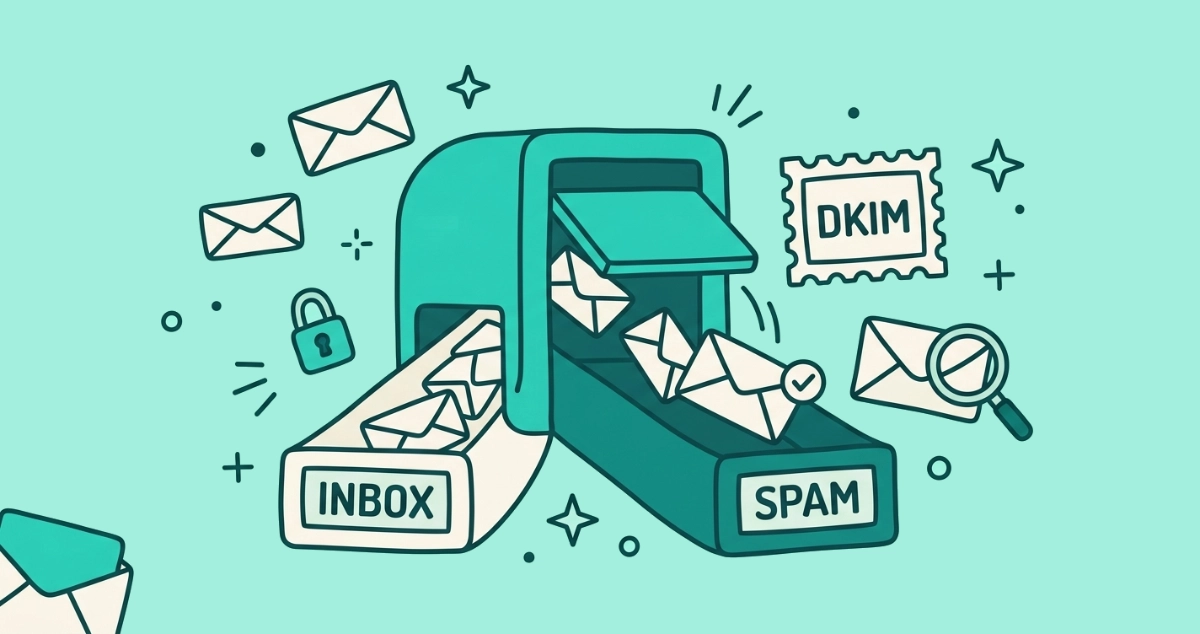
Email lands in spam when a filter’s math scores it as risky. The biggest factors are failed authentication (SPF, DKIM, DMARC), a weak sender reputation, low engagement, spam-like content, and blocklists. Filters are probabilistic, so legitimate mail sometimes gets caught. When mail you want is filtered, open Spam and mark it Not spam to fix it.
Why does email go to spam at all?
A spam filter is a probability engine, not a rulebook. It scores every message on dozens of signals and drops anything above its risk line into Spam. Google runs the largest one of these. According to Google’s Gmail team, writing on the Google blog in October 2023, Gmail blocks nearly 15 billion unwanted messages a day. At that scale no filter can read intent. It reads patterns, and patterns are sometimes wrong.
The score comes from five families of signal: whether the sender proved who they are, how trustworthy that sender has been, how people treat their mail, what the message contains, and whether the sending server sits on a blocklist. Mail you want wins on most of these. Spam fails most of them. The messages that end up in the wrong folder are the ones that look, mathematically, like the other kind.
What do spam filters actually check?
Filters weigh five things, roughly in this order of importance.
| Signal | What the filter asks | Why it matters |
|---|---|---|
| Authentication | Does SPF, DKIM, and DMARC prove the sender owns the domain? | A forged or unverifiable sender fails at the gate |
| Reputation | Has this domain and IP sent wanted mail before? | A history of complaints sinks new messages |
| Engagement | Do people open, reply to, and keep this sender’s mail? | Ignored mail slides toward spam over time |
| Content | Does the message read like marketing or a scam? | All-image layouts, all-caps, and many links raise the score |
| Blocklists | Is the sending IP on a public block list? | A listed server often gets rejected outright |
Authentication is the gate, reputation is the record, and engagement is the tiebreaker. Content and blocklists finish the job. Google puts hard numbers on the reputation side: according to its Gmail sender guidelines, a sender must keep its spam-complaint rate below 0.3% in Postmaster Tools, and Google advises aiming under 0.1%. Cross that line and a sender’s whole domain starts falling into spam, taking its honest mail with it.
Why does mail I actually want end up in spam?
Wanted mail gets filtered when it trips one of those signals through no fault of yours. Five causes account for most of it.
- The sender never set up authentication, so Gmail cannot confirm the address is genuine and hedges by filing the message under Spam.
- The sender shares an IP or domain with a bad neighbor, and that neighbor’s complaints drag the whole block’s reputation down.
- The message is a heavy, image-only newsletter carrying a dozen links, which reads like a promotion even when it is one you asked for.
- You, or people the filter groups you with, marked similar mail as spam before, and the filter generalized from that.
- The filter simply guessed wrong. A tiny false-positive rate applied across billions of messages still catches real mail every day.
None of these mean the sender did something shady. They mean the message resembled spam closely enough that the math flinched. The fix is quick, and doing it once teaches the filter for next time.
How do I get a good email out of the spam folder?
Rescuing a wrongly filtered message takes four steps, and the first two are the ones that matter.
- Open Spam and select the message. In Gmail, click Spam in the left sidebar, or on mobile open Menu then Spam. Tick the message you want back.
- Click Not spam. This moves it to your inbox and trains the filter. According to Gmail Help, marking Not spam teaches Gmail how to handle mail addressed to you, so similar messages route correctly from then on.
- Add the sender to your contacts. Gmail rarely filters a message from someone in your address book, so saving the sender is a durable safeguard.
- Create a filter that never sends it to Spam. In Settings, open Filters and Blocked Addresses, add the sender’s address, and choose Never send it to Spam.
After a message or two, that sender lands in your inbox reliably. You are not fighting the filter. You are correcting it, and it remembers.
Why do the emails I send go to other people’s spam?
Your own mail gets flagged for the same reasons, most often because the receiving filter cannot verify you or does not trust where you sent from.
If you send from a free provider like Gmail or Outlook.com, authentication is handled for you, so the usual culprit is content or behavior. A giant BCC list of near-strangers, a subject line in all caps, a bare shortened link, or an attachment type that filters distrust will each raise your score. Write a real subject, skip the link shorteners, and do not blast one message to a hundred addresses at once.
If you send from a custom domain, like you@yourbusiness.com, without SPF, DKIM, and DMARC configured, receiving servers cannot prove the mail is really from you. That gap has become expensive. According to Google’s Gmail team, anyone sending more than 5,000 messages a day to Gmail addresses must authenticate with SPF, DKIM, and DMARC, keep their spam rate under the 0.3% line, and offer one-click unsubscribe. Google announced the rules in October 2023 and began enforcement in February 2024. Even below that volume, a domain without authentication is a soft target for the filter.
Public blocklists are the last trap. According to Spamhaus, its Spamhaus Blocklist is a realtime database of spam-source IP addresses, rebuilt every five minutes, and most mail servers reject or bury anything sent from a listed IP. If you send through a reputable provider, this is their problem to manage. Spamhaus also notes that removal from its lists is always free, so any offer to clear a listing for a fee is a scam.
What are SPF, DKIM, and DMARC?
These three records are how a domain proves a message really came from it. SPF lists which servers are allowed to send mail for the domain. DKIM signs each message so any tampering in transit shows up. DMARC tells the receiving server what to do when the first two checks fail, and whether to report the failure. Together they answer one question the filter cares about most: is this actually from who it claims?
The “via” and “sent by” labels Gmail shows under a sender’s name come straight from these checks. Our plain-English guide to SPF, DKIM, and DMARC unpacks each one and what those labels mean when you see them.
Do marking spam and marking Not spam actually change anything?
Yes, and both train the filter that serves you specifically. Marking a message as spam teaches your provider to route that sender, and senders like it, away from your inbox. Marking Not spam does the reverse. Neither one touches the sender’s mailing list, so a newsletter you report as spam keeps sending; you have only stopped seeing it. That is why the report-spam button and the unsubscribe link solve different problems, and our guide to when to unsubscribe versus when to mark as spam walks the choice message by message.
Why do newsletters I signed up for keep landing in Promotions or spam?
Because you stopped opening them, and engagement is the signal filters trust most. A newsletter you never read teaches Gmail you do not want it, so it drifts from your inbox to Promotions and, eventually, to spam. That opted-in but ignored pile has a name, graymail, and we cover graymail in depth. The filter will only shuffle it between folders. The way to actually stop it is to unsubscribe. Reporting a newsletter you joined as spam works too, but it dents a sender you might still want and never removes your address from the list.
Doing that across years of signups is the slow part. Email Unsubscriber scans your Gmail or Outlook in your own browser, lists every subscription sender in one place, and fires real one-click unsubscribes where senders support them. Your email content never reaches our servers; we never read, analyze, or monetize it. Clearing the newsletters you always delete does more for a cluttered spam folder than any filter tweak, and for the full map of every tool, our complete guide to stopping spam covers the rest.
The takeaway
Email goes to spam because a filter scored it as risky, and the score comes from authentication, reputation, engagement, content, and blocklists. Mail you want gets caught when it trips one of those signals by accident, and you fix it by marking Not spam and saving the sender. Your own mail gets caught for the same reasons, usually a missing authentication setup or a spammy send. The filter is fast, probabilistic, and right far more often than not. When it is wrong, you have a button.