You open your inbox and thirty messages are waiting. None of them are spam, not exactly. A newsletter you signed up for in 2022, three promos from a store you bought one thing from, a product update from an app you barely open, a loyalty-points reminder. You read none of it and clear it in a swipe. That pile has a name.
Graymail is legitimate bulk email you technically opted into but no longer read: newsletters, promotions, product updates, and alerts from real senders. It sits between mail you want and spam. Microsoft Research coined the term in 2008. Unlike spam, you asked for it once, which is why your provider sorts it into folders instead of blocking it.
What is graymail?
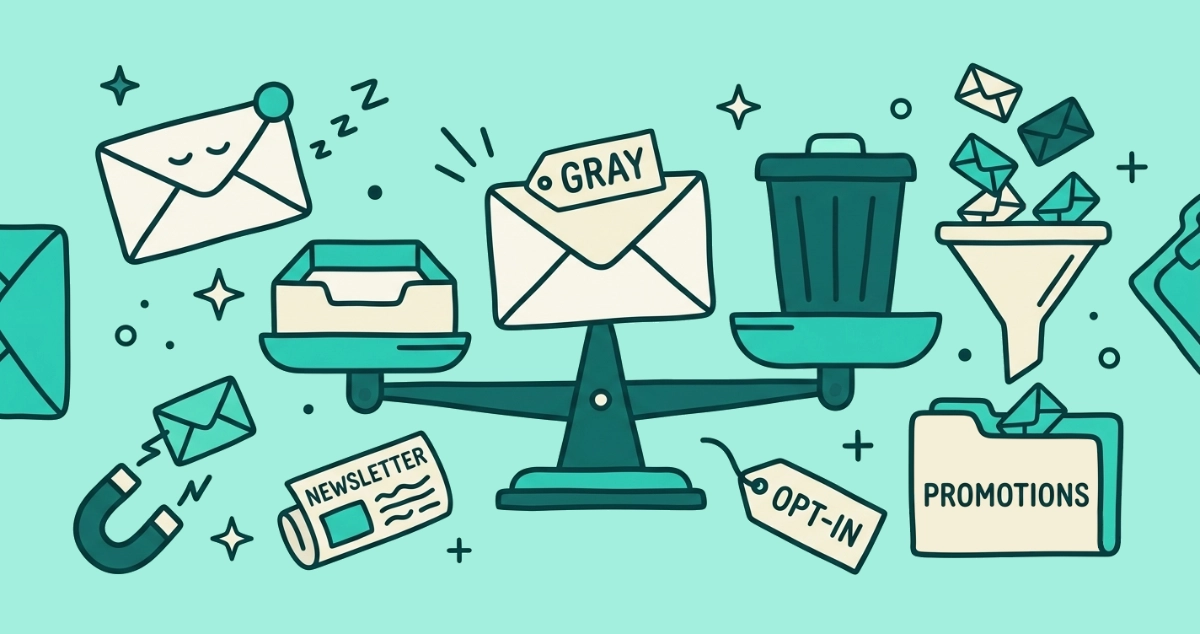
Graymail is solicited bulk email that a real company sends and you once agreed to receive, but that you have stopped opening. The name marks the gray zone between two clear categories. On one side sits mail you actively want, from people and services you engage with. On the other sits spam, which you never asked for and never wanted. Graymail lives in the middle: real, legitimate, and technically requested, yet ignored.
Researchers at Microsoft Research gave the category its name. According to their 2008 papers on the subject, including Personalized Spam Filtering for Gray Mail, graymail is mail that some users value and others would rather block, which is exactly why a filter cannot simply label it good or bad for everyone. Your co-worker’s must-read industry digest is your unread clutter. The classification depends on the reader, not the sender, and that is the whole problem.
How is graymail different from spam?
The one difference that matters is consent. You opted into graymail and you never opted into spam, and that single fact changes how every part of the email system treats each one.
| Graymail | Spam | |
|---|---|---|
| Who sent it | A real, identifiable company | Anyone, often hidden or spoofed |
| Did you opt in | Yes, at some point | No, never |
| Is it truthful | Yes, real offers and content | Often a scam or trick |
| Unsubscribe link | Present and works | Missing, fake, or a trap |
| How filters treat it | Sorted into a tab or folder | Blocked or sent to Junk |
| How you stop it | Unsubscribe from the list | Mark as spam, block the sender |
Bottom line: spam is a security problem your provider fights on your behalf, while graymail is a relevance problem it can only shuffle around. Because you granted permission, a filter that deleted graymail outright would be throwing away mail you agreed to receive. That distinction is also why the safe response differs. Reporting a legitimate newsletter as spam can hurt a sender you might still want, so it pays to know when to unsubscribe versus when to mark as spam.
Why is graymail the real cause of inbox overload?
Graymail overloads your inbox because there is so much of it and all of it is legitimate, so it arrives by default rather than getting filtered out. The volume is not a rounding error. According to Microsoft’s Hotmail team, in an October 2011 announcement reported by The Register, graymail made up 82 percent of the mail landing in Hotmail inboxes. The same team found that roughly 75 percent of the messages people flagged as spam were actually graymail they had signed up for and later resented.
The overload builds through decay, not attack. You wanted the newsletter the week you subscribed. A year later your interest is gone but your address is still on the list, so the mail keeps coming to an inbox that no longer has a use for it. Multiply that by every store, app, and publisher you ever handed your address to, and the two emails that matter end up buried under thirty that do not. Our roundup of email overload statistics puts numbers on the wider pileup, and the newsletter boom explains why the opted-in share of it keeps growing.
How does Gmail handle graymail?
Gmail sorts graymail by engagement rather than blocking it. Instead of deleting bulk mail you signed up for, Gmail files it into one of its category tabs: Promotions for marketing and offers, Updates for receipts and notifications, Social for network alerts, and Forums for mailing lists. Primary is reserved for the person-to-person mail and the senders you actually engage with.
The sort is a judgment call the classifier makes from signals, not from the sender’s name. A List-Unsubscribe header marks a message as bulk, heavy marketing layout and big banner images push it toward Promotions, and Gmail also watches how users like you treat a given sender. Engage with a sender often enough and Gmail learns to route their mail to Primary for you specifically. On 11 September 2025, according to deliverability analyst Al Iverson at Spam Resource, Google switched the Promotions tab to Most Relevant sorting by default, so the brands you interact with rise to the top and the rest sink. Notice what none of that does: it never stops the mail. Gmail decides where to put your graymail. You stay subscribed either way.
How does Outlook handle graymail?
Microsoft has been fighting graymail longer than anyone, and its tools follow the same principle: sort it, do not block it. The war started with that 2011 Hotmail effort, which added newsletter filtering and a one-click way to tell senders to stop. From there Microsoft shipped a run of engagement-based sorters. Clutter arrived in November 2014 to learn which low-priority mail you ignored and tuck it into a separate folder, then retired on 31 January 2020. Focused Inbox, announced in July 2016, split your inbox into Focused and Other and remains the default sorter in Outlook today.
The current chapter is a dedicated Promotions experience. Microsoft is rolling out a Promotions folder that automatically classifies bulk mail and moves it out of the main inbox, described in its Declutter and Defend post on the Microsoft Defender blog, with the tagging entering public preview in April 2026 and broader rollout following through the year. It learns from you moving messages in and out of the folder. Like Gmail, it relocates your graymail. It does not end your subscriptions.
Should you unsubscribe from graymail or let the filter sort it?
Unsubscribe from the graymail you never want, and let the filter sort the graymail you sometimes read. That is the whole decision, and it turns on one fact the tabs and folders quietly hide: a filter only moves a message, so you stay on the list and the next one still arrives. Unsubscribing removes you from the list, so the mail stops for good.
Use this split:
- Let the filter sort it when you still get value. For a sender you open now and then, a Promotions tab or a Focused Inbox split is the right tool. The mail stays reachable, out of your way until you want it. You lose nothing by leaving these where the filter files them.
- Unsubscribe when you always delete it. If a sender’s mail gets swept to the trash unread week after week, filing it away is just moving clutter from one folder to another. Unsubscribing is the only action that actually ends it, and on senders that support the one-click standard it is a single click the sender must honor. Gmail’s own Manage subscriptions panel groups these senders so you can act on them together.
- Do not mark it as spam by reflex. Reporting a legitimate sender trains filters against mail you agreed to, and it can drag down a sender you might still want. Save the spam button for actual spam.
Doing this by hand across years of signups is the slow way. Email Unsubscriber scans your Gmail or Outlook in your browser, lists every subscription sender in one place, and sends real unsubscribe requests where the sender supports the one-click standard. Your email content never reaches a server; we never read, analyze, or monetize it. You clear the graymail you always delete in one sitting instead of hunting for an unsubscribe link inside each message.
The takeaway
Graymail is the honest name for most of what buries your inbox: real mail from real senders that you agreed to once and stopped reading. It is not spam, so your provider will not block it. Gmail and Outlook will only sort it, which hides the problem without solving it. The durable fix is to unsubscribe from the senders you never open and let the filters handle the ones you occasionally do.
Clearing the backlog is a one-time job you can do in an afternoon. Email Unsubscriber handles the sitting for you, and you pay once with nothing to cancel. After that, the same graymail treadmill that refills every inbox means a quick pass every month or two, which our guide to subscription fatigue walks through. Sort the mail you want. Unsubscribe from the mail you do not.