You spent an afternoon three months ago clearing newsletters out of your inbox, and for about a week it felt clean. Now you are back to a few hundred unread promos, and half of them come from senders you do not remember signing up for.
Email subscription fatigue is the worn-down feeling of an inbox that fills faster than you empty it. Your inbox refills after a cleanup because new subscriptions accumulate quietly: checkout opt-ins, gated downloads, and single purchases that feed several lists all add senders faster than you remove them. One sweep clears the backlog. Only a recurring habit keeps it clear.
What is email subscription fatigue?
Email subscription fatigue is the point where marketing volume stops being an annoyance and starts changing what you do. You stop opening messages, you delete in bulk, and eventually you leave senders entirely. Marketers call the sender-side version email fatigue; this is the consumer side of it, and it is mainstream.
According to Optimove’s 2025 Consumer Marketing Fatigue Report, based on a survey of 329 U.S. consumers, 70 percent unsubscribed from at least three brands in the previous three months because of message volume, and 37 percent named email the most annoying channel. A separate GetApp survey reported in October 2024 found 40 percent of U.S. consumers unsubscribe from a brand at least once a week. Those figures sit inside a larger picture of inbox overload, which our roundup of email overload statistics covers with every number sourced.
Why does my inbox fill back up after I clean it?
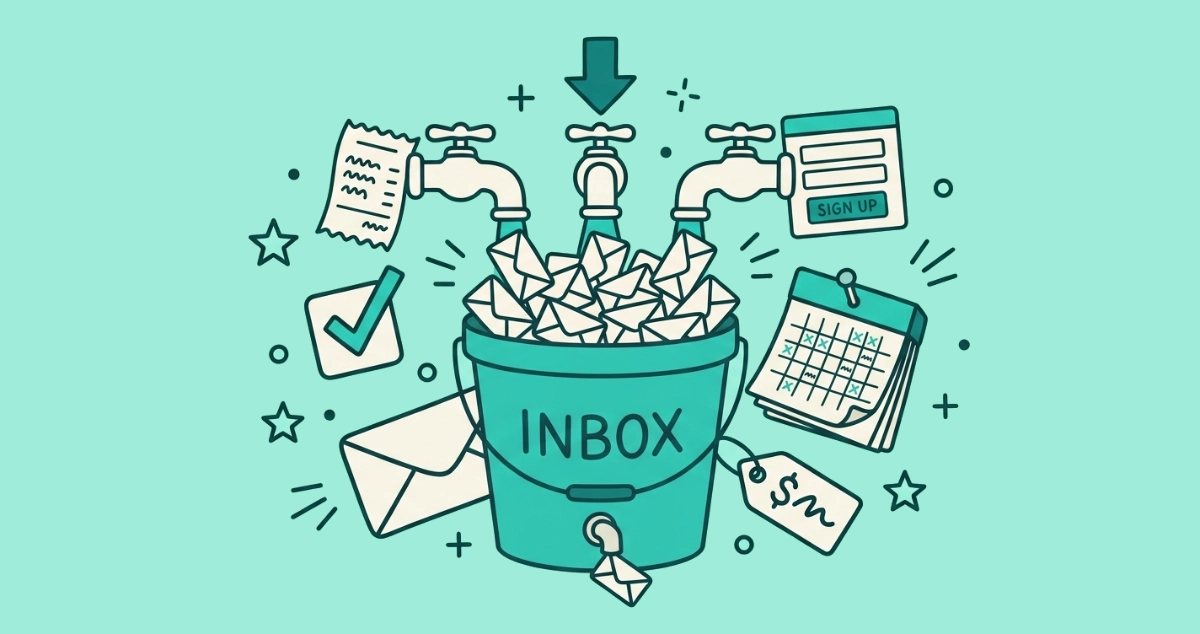
Your inbox refills because unsubscribing is a one-time subtraction and subscribing is a continuous addition. When you clear forty senders in an afternoon, you fix the backlog you can see. You do nothing about the three or four new lists you will join over the next month without noticing.
That is the treadmill. A cleanup empties the inbox once, and the inflow starts again the next time you buy something or download a file. Each new signup is a small, forgettable event, and none of them feels like the deliberate act of subscribing. Buying a pair of shoes, grabbing a discount code, or making an account to check out faster does not register as joining a mailing list. Added up over ninety days, those small events refill what took you an afternoon to clear.
Where do all these new subscriptions come from?
Most new subscriptions come from a handful of ordinary actions, none of which look like signing up for email. You are not seeking out newsletters. They attach themselves to things you were already doing.
| Source | What actually happens |
|---|---|
| Checkout | Buying once adds you to the store’s promotional list, often with no separate step you can see |
| Pre-checked boxes | A ticked “keep me updated” box opts you in unless you notice it and untick it |
| Gated content | Downloading a guide, coupon, or template trades your address for the file |
| One purchase, several lists | A single retailer runs promotions, back-in-stock, loyalty, and win-back lists at once |
| Account creation | Signing up for an app or store subscribes you to product and marketing mail by default |
Read the table top to bottom and the pattern is clear. Every row is a normal transaction, and every row leaves you on a list. You never went looking for any of them.
Why is one purchase enough to put me on a marketing list?
In the United States, the law lets a company email you without ever asking. The CAN-SPAM Act is an opt-out law, not an opt-in one. A company can send you commercial email without your prior permission, as long as the message carries a working unsubscribe and the sender honors it within 10 business days. Handing over your address at a checkout is enough to start the mail.
The rules are stricter in the EU, where marketing email generally needs your active consent first, and a pre-ticked box does not count. In its 2019 Planet49 ruling (Case C-673/17), the Court of Justice of the European Union held that a pre-ticked checkbox cannot establish valid consent. GDPR Recital 32 puts it plainly: silence, pre-ticked boxes, or inactivity do not constitute consent. A sender relying on a box you forgot to untick is on the wrong side of that line. None of this is legal advice, but it explains the split: a U.S. store can add you from a purchase automatically, while an EU sender is supposed to ask you first. Our rundown of unsubscribe laws by country maps the opt-in and opt-out regimes side by side.
Why doesn’t unsubscribing once fix it?
Unsubscribing once does not fix it because you are treating a recurring inflow as a one-time cleanup. Each unsubscribe you send is correct and permanent for that sender. It simply cannot do anything about the next sender you have not met yet.
This is a different problem from unsubscribing and still getting mail from the same sender, which usually means a processing window that has not closed or a second list you missed. Here the senders are genuinely new. You did not fail to unsubscribe; you unsubscribed from everyone who was there in March, and April, May, and June brought their own arrivals. The button works. The math is against a single use of it.
What is consent fatigue, and how does it feed the problem?
Consent fatigue is the exhaustion that makes you click “accept” without reading. You face so many permission prompts, cookie banners, and opt-in boxes in a day that you stop weighing each one and start clicking through on autopilot. It grows out of decision fatigue, the documented tendency for choice quality to fall after a long run of small decisions.
That is precisely why pre-checked boxes work on you. They are built for the moment you are moving fast and low on patience, which is most of the time. By the twentieth prompt of the day you take the default, and the default is usually set to “yes.” The design counts on you being tired, and tired is the normal state of a person checking out a shopping cart at the end of a workday.
How do I keep my inbox from filling back up?
Keep your inbox clear by treating subscriptions as maintenance, not a one-off project. A hero cleanup buys you a week; a small recurring routine holds the line. Work these five habits and the treadmill stops winning.
- Run a periodic sweep. Every month or quarter, review your subscription senders and clear the ones you have stopped reading. A scheduled window beats waiting until the inbox is unbearable, and our guide to mass unsubscribing in Gmail covers the built-in and third-party routes.
- Decline at signup. Untick the marketing box before you submit a form, and skip the “keep me updated” option at checkout. Saying no once at the door is cheaper than unsubscribing later.
- Use a separate address for signups. Route shopping, downloads, and free trials to a burner or an email alias so the marketing never reaches your main inbox in the first place.
- Unsubscribe instead of deleting. Deleting hides one message and leaves you on the list. Unsubscribing removes the sender, so the next message never arrives.
- Leave every list, not just one. On a sender’s preference page, clear all of its streams rather than only the promotions one, or the other lists keep mailing.
After a couple of cycles, the inflow you did not decline is small enough that a short monthly pass keeps up with it. That is the difference between an inbox you clean and an inbox that stays clean.
The takeaway
Subscription fatigue is a treadmill, and the fix is a habit rather than a heroic cleanup. New senders attach to your normal transactions faster than a single sweep can remove them, so the durable answer is a short, regular pass plus a bit of friction at signup.
The one-afternoon part still has to happen first, and clearing years of senders by hand is the slow way to do it. Email Unsubscriber scans your Gmail or Outlook in your browser, lists every subscription sender in one place, and sends real unsubscribe requests where senders support the one-click standard, without your email content ever reaching a server. Run it once to clear the backlog, then a quick pass every month or two keeps the treadmill from filling your inbox back up.