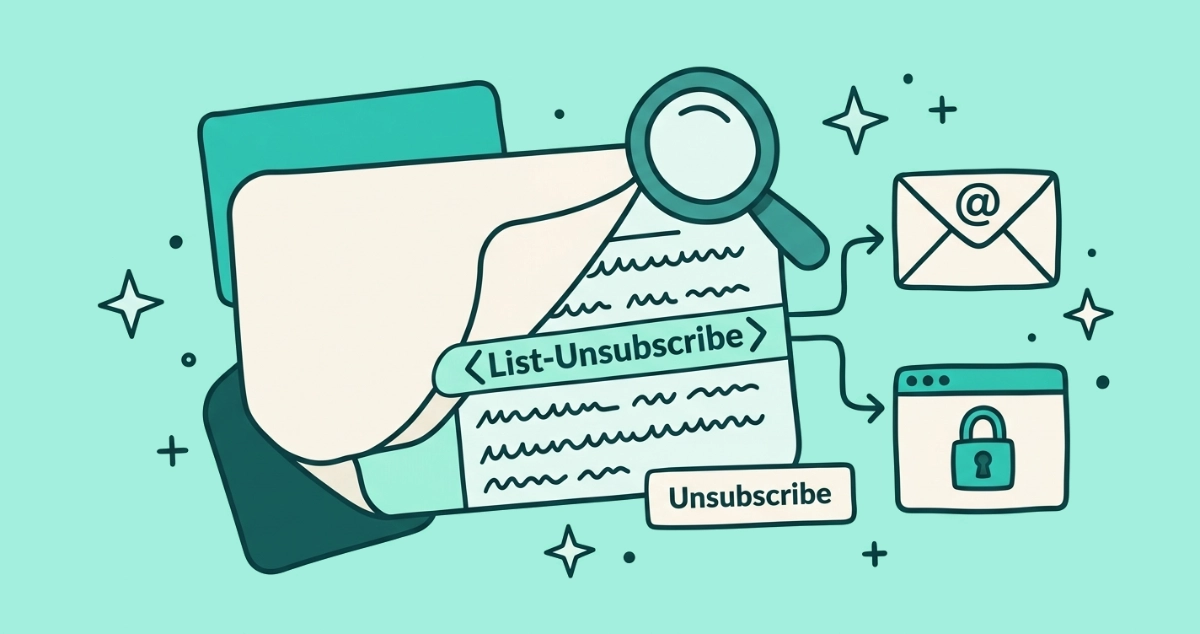
You clicked Show original on a marketing email, scrolled past the wall of gibberish, and hit a line that reads List-Unsubscribe: <https://...>, <mailto:...>. It looks like plumbing because it is. That one line is what your email app quietly turns into the Unsubscribe button at the top of the message.
The List-Unsubscribe header is a hidden line senders add to an email that tells your mail app where to opt you out. It holds a web address, a mailto address, or both. A second line, List-Unsubscribe-Post, upgrades it to a true one-click button under RFC 8058. Your email app reads both and draws the Unsubscribe button you see.
What is the List-Unsubscribe header?
The List-Unsubscribe header is a line of technical metadata a sender attaches to an email to say where your opt-out request should go. You never see it in the message you read. Your email app reads it and decides whether to show you a tidy Unsubscribe button next to the sender’s name.
The Internet Engineering Task Force defined the header in RFC 2369, published in July 1998. Back then it was passive by design: the line named a place to opt out and nothing more. Your client could offer a link, but the actual unsubscribe still ran on the sender’s terms.
That old header is the seed of every modern Unsubscribe button. What changed over the years is how much your email app is allowed to do with it on your behalf. For the reader-facing version of that story, our explainer on one-click unsubscribe covers what the button does; this piece stays down at the level of the raw line itself.
What does a List-Unsubscribe header look like?
A modern one looks like this inside the raw message:
List-Unsubscribe: <https://sender.example/opt-out/abc123>, <mailto:unsubscribe@sender.example?subject=unsubscribe>
List-Unsubscribe-Post: List-Unsubscribe=One-Click
Three details explain the whole thing. The angle brackets wrap each unsubscribe endpoint, which is the exact syntax RFC 2369 requires. The comma separates the two endpoints when a sender lists more than one. The ?subject=unsubscribe is a query parameter riding on the mailto address, the same way a web link carries parameters after a ?.
That random-looking abc123 at the end of the URL is doing real work. It identifies you and the specific list you are on. The standard leaves no other channel to carry that information, so the sender bakes it straight into the address.
mailto vs https: what are the two forms of List-Unsubscribe?
The header comes in two forms, and a sender can offer either or both. They behave differently once your app acts on them.
The mailto form points to an email address. When your app uses it, it sends a plain unsubscribe email to that address, often with the subject line the sender pre-filled. The message travels like any other email, and the sender’s system reads it and removes you. This is the original 1998 mechanism.
The https form points to a web address instead. Your app contacts that address over the network rather than sending mail. RFC 8058, the modern standard, is strict here: it states the header “MUST contain one HTTPS URI,” and it may list a mailto alongside it. Plain, unencrypted HTTP does not qualify.
| mailto form | https form | |
|---|---|---|
| Points to | An email address | A web address |
| What acting on it does | Sends an unsubscribe email | Contacts a URL over the network |
| Defined by | RFC 2369 (1998) | RFC 8058 (2017) requires HTTPS |
| Can power true one-click? | No | Yes, with List-Unsubscribe-Post |
| Common today | As a fallback | The primary method for bulk mail |
The bottom line: most large senders list both, so an old client can fall back to email while a modern one uses the web address. When you see a comma in the header, that is usually what you are looking at.
What is the List-Unsubscribe-Post header?
List-Unsubscribe-Post is a second, separate header, and it is the switch that makes one-click possible. The IETF added it in RFC 8058 in January 2017. The rule is precise: the header “MUST contain the single key/value pair ‘List-Unsubscribe=One-Click’.” No other value is valid.
That line grants your email app permission to act silently. When you tap Unsubscribe, your app sends an HTTP POST request to the HTTPS address in the List-Unsubscribe header, carrying the body List-Unsubscribe=One-Click. RFC 8058 says that body “SHOULD be sent as ‘multipart/form-data’” or may be sent url-encoded. No web page opens, and no form loads in front of you.
One consequence follows directly from the design. Because the standard notes “there is no provision for extra POST arguments,” everything that identifies you and your list has to live inside the URL itself. That is why the address carries that long token. Why the request is a POST and not a plain link is a safety story in its own right, and our one-click unsubscribe explainer walks through it.
How does your email app turn the header into an Unsubscribe button?
Your app reads the raw headers as the message arrives, finds the List-Unsubscribe line, checks whether a matching List-Unsubscribe-Post line sits beside it, and then draws its own control. The button belongs to your email provider, not the marketer.
Where it lands depends on the client. Gmail puts an Unsubscribe link next to the sender’s name at the top. Apple Mail shows a banner above the message. Outlook places it near the sender. The header is the same in every case; the presentation is each app’s own choice.
The header being present does not guarantee the button appears. Providers also weigh the sender’s reputation and authentication before they offer the quick exit, which is why the same newsletter can show the button one week and hide it the next. That decision is a whole topic on its own, covered in why the Gmail Unsubscribe button goes missing.
How do I view the List-Unsubscribe header myself?
You can read the raw header in under a minute. The header sits in the message source, below the routing lines and above the body.
- Gmail. Open the email, click the three-dot menu near the reply arrow, and choose Show original. Gmail opens the full raw message in a new tab.
- Apple Mail on macOS. Open the message, then choose View, Message, Raw Source from the menu bar. The keyboard shortcut is Command-Option-U.
- Outlook.com. Open the message, click the three-dot More actions menu at the top of the message, and choose View, View message source.
- Search the source. With the raw text open, use your browser or app’s find command and type List-Unsubscribe. Jump to each match to read the header and its companion Post line.
Expected outcome: you land on one or two lines that name a web address, a mailto address, or both, plus the List-Unsubscribe-Post: List-Unsubscribe=One-Click line if the sender is set up for one-click. If you find nothing, that sender did not add the header, and the app has no structured signal to build a button from.
How do senders add a List-Unsubscribe header?
Most senders do not write the header by hand. Their email platform, Mailchimp, Klaviyo, Postmark, or a similar service, adds it to every campaign once the sender enables the feature. A team running its own mail server sets the header directly in the message it composes.
For true one-click, three things have to line up. The header needs an HTTPS address, the List-Unsubscribe-Post line has to be present, and the sender’s DKIM signature has to cover both headers. RFC 8058 requires that those two headers be “included in the ‘h=’ tag of a valid DKIM-Signature,” which is how a receiving app trusts the line is genuine and not forged in transit. The broader rules pushing senders to do all of this are covered in the bulk-sender crackdown across Gmail, Yahoo, and Outlook.
How do you act on these headers across a whole inbox?
Reading one header is easy. Reading hundreds is the actual chore, because every sender formats things a little differently and some skip the header entirely.
A dedicated tool reads the List-Unsubscribe header for every sender in one pass, fires the genuine RFC 8058 POST wherever a sender supports it, and flags the ones that only offer an old-style link. Our Email Unsubscriber app does exactly that from inside your browser. The scan runs on your device, so we never read, analyze, or monetize your email content, the access stays read-only, and the session expires in about an hour with no lingering token.
The takeaway
The List-Unsubscribe header is the quiet line that makes the whole Unsubscribe button possible. RFC 2369 gave it two forms in 1998, a mailto address and a web address, and RFC 8058 added the List-Unsubscribe-Post line in 2017 that turns the web address into a silent one-click POST. The angle brackets, the comma, and the long token in the URL are all doing specific jobs.
You can read any of it yourself. Open Show original, search for List-Unsubscribe, and the button at the top of your inbox stops being magic and starts being a line of text you can check.