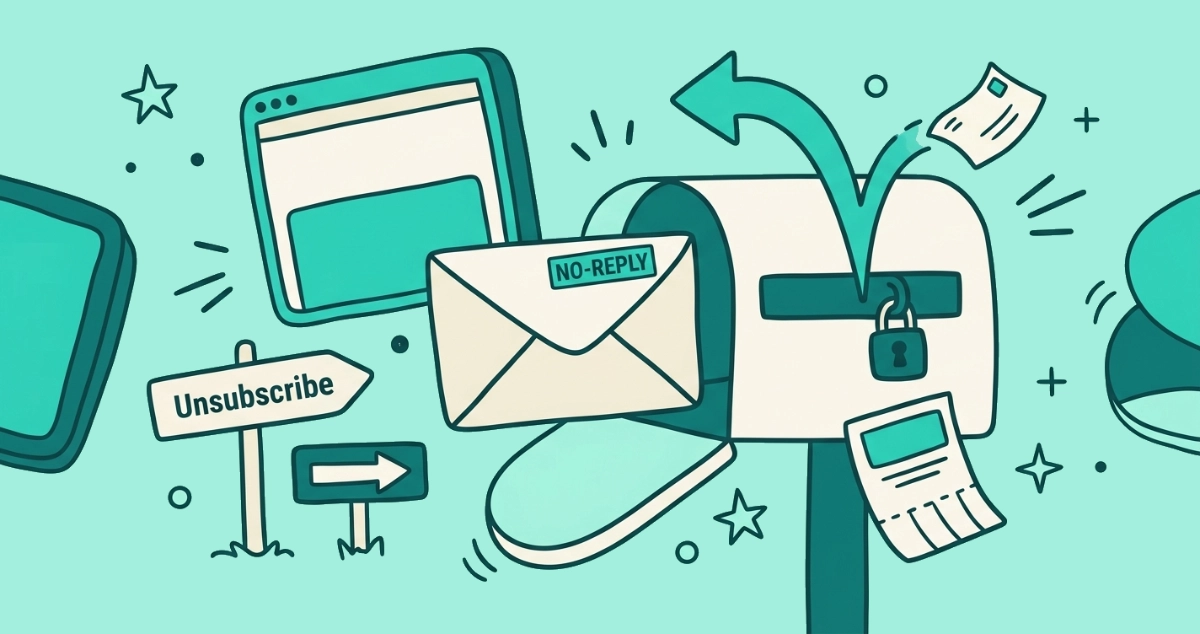
You open a promotional email in Gmail expecting the little Unsubscribe link next to the sender’s name, and it isn’t there. The last three newsletters you opened had it. This one shows the sender, the subject, and nothing else at the top. The button is not broken and you are not missing a setting. Gmail simply decided not to draw it for this message.
Gmail shows its Unsubscribe button only when an email carries a valid List-Unsubscribe header and the sender clears Gmail’s trust checks. If the header is missing, the sender’s reputation is poor, authentication fails, or the message is transactional mail, no button appears. When it’s gone, scroll to the footer for the sender’s own unsubscribe link.
Why does Gmail show an Unsubscribe button on some emails but not others?
The button appears only when the email carries a hidden instruction Gmail can read and trust. That instruction is the List-Unsubscribe header, a line the sender tucks into the email’s technical headers to say where its opt-out lives. Gmail reads that line and draws its own Unsubscribe button next to the sender’s name. No header, no button.
Since February 2024, Google has required bulk senders to include it. According to Google’s sender guidelines, anyone sending more than 5,000 messages a day to Gmail addresses must add a working one-click unsubscribe to every marketing message. That rule is why a big brand’s promo almost always shows the button, and why a one-person newsletter often shows nothing. The mechanics of that one-click standard, RFC 8058, are covered in one-click unsubscribe explained. This piece is about the simpler question you actually have: why is the button here and not there.
What is the List-Unsubscribe header?
The List-Unsubscribe header is a hidden line in an email that tells your mail app where the sender’s opt-out endpoint sits. You never see it. Your email client does, and Gmail turns it into the button.
A modern one looks like this in the raw message:
List-Unsubscribe: <https://sender.example/opt-out/abc123>
List-Unsubscribe-Post: List-Unsubscribe=One-Click
Two lines, both hidden from you. The first names the sender’s unsubscribe address. The second tells Gmail it may fire the opt-out with a single tap, no website loading. When Gmail sees a valid pair like this on a message it trusts, it renders the Unsubscribe link at the top. When the lines are absent or malformed, it has nothing to render.
Why would a sender leave the List-Unsubscribe header out?
Plenty of senders skip the header, and most of the time it isn’t sinister. Four reasons cover almost every case.
They don’t send enough to be required. The 5,000-a-day rule only binds bulk senders. A local shop mailing a few hundred customers, or a writer with a small newsletter, has no obligation to add the header, and many never do. Their mail shows a footer link or nothing.
The message is transactional. Receipts, shipping notices, password resets, and fraud alerts are not marketing, so the bulk-sender rules don’t apply and Gmail rarely offers a button. You would not want to unsubscribe from your bank’s security alert anyway.
Their setup is old or sloppy. Some senders built their mail system before one-click unsubscribe mattered and never revisited it. Others put a link in the footer but never added the header, so Gmail has no structured signal to work from.
They want the friction. A footer link buried in gray six-point type is harder to find than a button at the top. A sender who would rather you didn’t leave has a reason to skip the header that makes leaving easy.
Why is the button missing even when the sender added the header?
Here is the part most guides skip: a valid header is necessary but not sufficient. Gmail weighs the sender’s trustworthiness on every message before it offers the quick action, and a header alone won’t earn it. Several things can hold the button back.
The sender’s reputation is weak. Gmail looks at the whole mail stream, not the single message. If a sender collects high spam complaints, low engagement, or inconsistent identity, Gmail can decide a convenient opt-out button isn’t appropriate to show. Google asks bulk senders to keep the spam-complaint rate reported in Postmaster Tools below 0.3%, and ideally under 0.1%, per its sender guidelines. Cross that line and the perks, including the button, start to disappear.
Authentication is failing. Gmail checks that a message really comes from the domain it claims, using SPF, DKIM, and DMARC. A campaign can pass SPF and DKIM yet still fail DMARC when the authenticated domain doesn’t match the visible From address. When those signals don’t line up, Gmail trusts the message less and often withholds the button.
The message landed in spam. Mail sorted into the spam folder generally doesn’t get the same convenience controls as inbox mail. If Gmail already flagged the sender, it won’t hand you a tidy one-tap exit inside a message it thinks is junk.
The sending stream is new. A fresh domain or a recently changed mail setup needs a track record before Gmail extends the button consistently. Early sends from a new sender can show nothing until enough clean history builds up.
The header points somewhere broken. An unsubscribe URL that returns an error, uses plain HTTP, or demands a login before it will opt you out can fail Gmail’s checks. The header is technically present, but it doesn’t lead anywhere Gmail is willing to endorse.
What should I do when the Gmail Unsubscribe button is missing?
When the top button is gone, you still have a clean exit. Work through these in order.
- Check the three-dot menu. Open the message and click the three-dot “more” icon near the reply arrow at the top-right. Gmail sometimes tucks the unsubscribe option there even when it isn’t shown next to the sender’s name.
- Scroll to the footer. Almost every legitimate marketing email carries an Unsubscribe, Manage preferences, or Opt out link at the very bottom. Marketing mail is legally required to offer one under laws like CAN-SPAM and GDPR, so it is usually there even when Gmail draws no button.
- Confirm the link is real before you click. Hover over it and check the address points to the actual sender’s domain, not a lookalike. A fake unsubscribe link is a known phishing move. Our 30-second check on whether an unsubscribe link is safe walks through the tells.
- Mark it as spam if you can’t place the sender. A missing button plus a sender you don’t recognize is a reason to stop hunting. Marking it as spam trains Gmail’s filter and sends no signal back to the sender that your address is live.
Expected outcome: for a genuine newsletter, the footer link opts you out on the sender’s site within a minute. For anything you don’t trust, the spam button keeps future mail out without you ever clicking a sender’s link.
Does a missing Unsubscribe button mean the email is spam?
No, not on its own. A missing button most often means a small or transactional sender that never added the header, and both are perfectly legitimate. The signal only matters in combination.
Read it together with the sender. A missing button on a receipt from a shop you bought from is normal. A missing button on a “you’ve won” message from an address you’ve never seen is a reason to mark it as spam rather than search for a link. The button’s absence is a hint, not a verdict.
How do I clear out senders when the buttons are this inconsistent?
Doing this one message at a time is slow, and the inconsistency is the reason. Some senders give you a top button, some hide a footer link, and some give you nothing, so a single inbox turns into a scavenger hunt. Gmail’s own Manage subscriptions panel collects the senders it recognizes into one list, which helps for a light pass, though it still works one sender at a time and only sees the senders that published a signal Gmail trusts.
A dedicated tool reads the headers for every sender in one pass and fires a genuine one-click unsubscribe wherever the sender supports it, flagging the ones that only offer an old-style link. Email Unsubscriber does exactly that from inside your browser, so your email content never reaches our servers, the access is read-only, and the session expires in about an hour with no lingering token. The architecture is documented on our security page. Gmail’s built-in routes are free and worth a first pass; a browser-based review earns its place when the backlog is large and the buttons keep hiding.
The takeaway
Gmail’s Unsubscribe button is a courtesy it extends only to senders that earn it. The email needs a valid List-Unsubscribe header, and the sender needs a reputation and authentication clean enough for Gmail to trust the quick exit. Miss either half and the button vanishes, whether the sender never added the header, sends too little to bother, or slipped below Gmail’s trust line.
When it’s there, use it. When it’s gone, scroll to the footer link, confirm it’s real, and opt out on the sender’s site. When you can’t place the sender at all, mark it as spam and let the filter do the rest.