Gmail flashes a red “storage full” banner, or bounces a message you just tried to send, and your inbox does not even look that big. The reason sits one level above Gmail, in a quota it shares with two services you probably were not thinking about when you sat down to clean up.
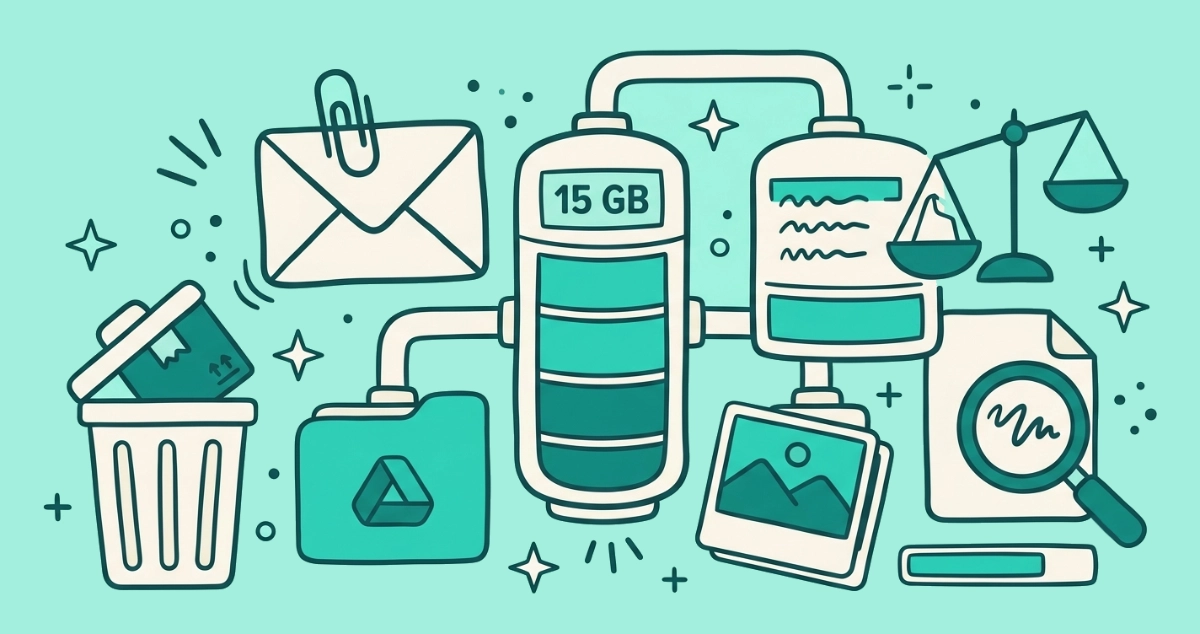
Your Google Account includes up to 15 GB of free storage shared across Gmail, Google Drive, and Google Photos, so a single large Drive file or photo library can fill Gmail. See the breakdown at one.google.com/storage, then recover space fast: empty Spam and Trash, and delete big attachments with the search
has:attachment larger:10M.
Why is my Gmail storage full when my inbox looks empty?
Because Gmail does not have storage of its own. Your Google Account gives you up to 15 GB of free space, and Gmail, Google Drive, and Google Photos all draw from that one bucket, according to Google One Help. A 4 GB video sitting in Drive, or a decade of backed-up photos, can fill the quota on its own. Gmail is simply the service that puts the warning in front of you.
Google counts several things against the shared 15 GB: Gmail messages and attachments, and that explicitly includes your Spam and Trash folders; files in Google Drive such as PDFs, images, and videos; original-quality photos and videos in Google Photos; Google Meet recordings; and files you create in Docs, Sheets, or Slides after June 1, 2021. One useful exception, per the same help page: a file someone shares into a folder counts only against the owner’s quota, not yours.
So a full Gmail is often not a Gmail problem at all. Before you delete a single email, it pays to find out which of the three services is actually eating the space.
Do I still get 15 GB of free Google storage in 2026?
Most existing accounts still have the full 15 GB, but new accounts have a catch as of 2026. Google changed its wording from accounts that “come with 15 GB” to accounts with “up to 15 GB” of free storage, and new sign-ups now start with 5 GB until the owner verifies a phone number, which unlocks the rest. 9to5Google reported the change on May 14, 2026, noting the revised help text first surfaced in the Internet Archive on March 18, 2026.
If you set your account up years ago, you almost certainly still have the full 15 GB and this does not affect you. The change matters mostly for brand-new accounts. Either way, the 15 GB has always been shared, and that sharing is what surprises people when Gmail fills up.
How do I see what’s using my Google storage?
Open the Google One storage page, which shows a breakdown of exactly how much each service is using. This is the step most people skip, and it is the one that tells you whether to clean Gmail, Drive, or Photos.
- Go to the storage page. Open
one.google.com/storagein a browser. You do not need a paid Google One plan to view it or to clean up. - Read the breakdown. A bar shows how your 15 GB splits across Drive, Gmail, and Photos. The biggest segment is where your afternoon is best spent.
- Open the storage manager. Under “Get your space back,” click Free up account storage. Google surfaces cleanup suggestions grouped by service and by type, including large email attachments and large Drive files.
- Review a category. Under “Clean up suggested items” or “Clean up by service,” click into a category and look at what Google flags. Nothing is deleted until you choose it.
- Select and delete. Tick the files you want gone, click Delete at the top right, read the consent wording, and confirm with Permanently delete.
Freed space does not always show up right away. Google notes it can take some time for the number to catch up, so do not panic if the meter still looks full an hour later.
What’s the fastest way to free up Gmail storage?
Empty Spam and Trash first, then delete large attachments. Both moves recover real space for very little judgment about what you might need later.
Messages in Spam and Trash keep counting against your quota until they are permanently gone, and Gmail only clears each folder automatically after 30 days, per Gmail Help. Emptying both by hand is the quickest space you will recover. In Gmail, open Spam and click “Delete all spam messages now,” then open Trash and click “Empty Trash now.” One caveat worth knowing: anything you delete from your inbox lands in Trash and keeps counting for those 30 days, so the delete itself is not the moment the space comes back. Emptying Trash is.
How do I find and delete large email attachments in Gmail?
Search for the attachments, because Gmail has no “sort by size” button. A handful of small messages will not move the meter, but one email carrying a 25 MB video might. Type an operator into the search bar to surface the heavy ones.
| Search | What it finds |
|---|---|
has:attachment larger:10M | Every email with an attachment over 10 MB |
has:attachment larger:10M older_than:1y | Big attachments more than a year old |
filename:.pdf larger:5M | PDF attachments over 5 MB |
larger:25M | The very heaviest messages in the account |
The larger: operator takes a size with an M or K suffix, and its opposite is smaller:. Pair it with older_than:, which accepts d, m, or y for days, months, or years, so older_than:2y spares anything from the last two years. Google’s own examples include has:attachment larger:10M and older_than:2y has:attachment for exactly this cleanup. Once you delete the results, empty Trash so the space actually returns.
How do I clear space in Google Drive and Photos?
Go where the gigabytes actually live, which is usually Drive and Photos rather than mail. For most people these two services hold far more than every email combined.
In Google Drive, click Storage in the left sidebar. Drive lists your files sorted largest first, which puts the space hogs right at the top. Delete what you do not need, then open Drive’s Trash and empty it, since deleted Drive files also keep counting for 30 days.
In Google Photos, original-quality photos and videos count against the quota, and videos are almost always the heaviest items you own. Switching to Storage Saver quality, formerly called High Quality, compresses new uploads to shrink what each photo costs. Clearing a few large screen recordings or long clips often recovers more room in one move than a whole session of deleting emails.
Do old Promotions and newsletters count against my storage?
Yes, every message plus its images counts, though any single newsletter is tiny. A promotional email is usually a few kilobytes, so the value in clearing the Promotions tab is a calmer inbox more than reclaimed gigabytes. It still helps, and it is a one-minute job on desktop.
We keep the full recipe, with the category:promotions search and select-all, in how to delete all Promotions in Gmail. Run it if the tab has thousands of unread deals. Just do not expect the storage meter to drop much afterward, since the weight was never in the newsletters. It was in the attachments and the photos.
How do I keep Gmail storage from filling up again?
Stop the inflow, because deleting is a one-time recovery and the quota refills as senders keep mailing. You can spend an afternoon clearing 3 GB and watch it creep back over the next year as newsletters, receipts, and “we miss you” campaigns pile up with their images and tracking pixels.
The durable fix is fewer incoming messages. Unsubscribe from the lists you never read, ideally without even opening the emails so nothing renders while you clean up. For years of buildup across dozens of senders, a browser-based tool like Email Unsubscriber reviews every subscription in one pass; the scan runs in your browser, the access is read-only, and the session expires in about an hour with no lingering token. A leaner inbox stays under quota on its own, without a repeat cleanup every few months.
One myth to retire while you are here: deleting mail to shrink your carbon footprint mostly does not work, because stored email is a rounding error next to the sends themselves. We covered the sourced version in the carbon footprint of your inbox. Delete for space and sanity. Unsubscribe to stop the refill.
What happens when your Google storage is full?
You stop being able to send or receive Gmail, back up new photos, or upload and create files in Drive, according to Google One Help. Files you already have stay readable, so nothing is lost, but the account grinds to a halt for anything new. You then have two ways out: free up space across the three services using the steps above, or buy a larger Google One plan if you would rather keep everything.
For most inboxes, the free route is plenty. Clear Spam and Trash, delete a handful of oversized attachments, thin out Drive and Photos, and the meter drops well below the line, no payment required.
The takeaway
A full Gmail is almost always a full Google Account, since 15 GB is shared across Gmail, Drive, and Photos. Check the breakdown at one.google.com/storage before you delete anything, so you clean the service that is actually full. Empty Spam and Trash, hunt big attachments with has:attachment larger:10M, and clear the heavy files and videos in Drive and Photos. Then unsubscribe from what you never read, so the space you just recovered stays recovered.