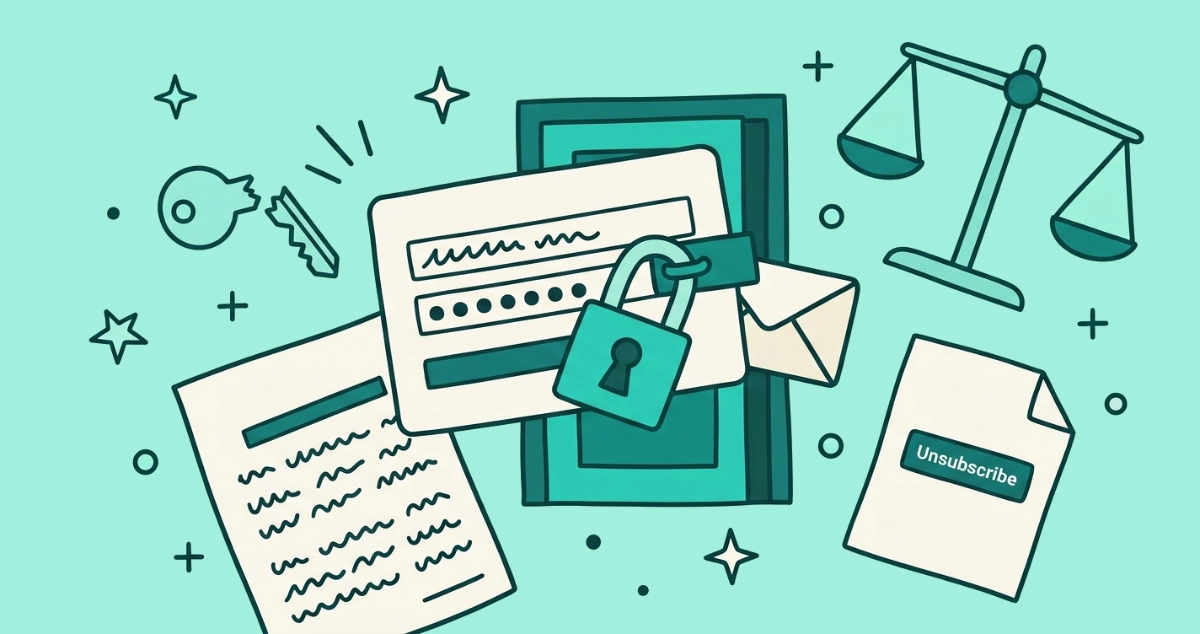
You click unsubscribe, and instead of a confirmation you get a sign-in screen. It wants the password to an account you barely remember making, and on the worst pages it wants the password to your email itself. All you asked for was off the list. Now a login stands between you and the exit.
Probably not. Under U.S. CAN-SPAM, an opt-out cannot require a fee, any personal detail beyond your email address, or more than a single web page, so a login wall likely breaks the rule. Under EU and UK GDPR, withdrawing consent must be as easy as giving it. A password prompt fails that test.
This is an educational overview of email marketing rules, not legal advice. For a specific situation, check the regulator linked below or consult a lawyer in your jurisdiction.
Is it legal to require a login to unsubscribe?
In most cases, no. A mandatory sign-in in front of a marketing opt-out likely violates U.S. CAN-SPAM, and it likely breaches GDPR for anyone in the EU or UK. The two regimes reach the same verdict along different routes: CAN-SPAM limits how many steps a sender may demand, and GDPR limits how much friction can sit between you and withdrawal. A password prompt trips both.
Neither law names login walls specifically. What each does instead is set a standard for a compliant exit, and a regulator measures the sender’s page against it. The FTC asks whether opting out took more than a single simple step. A data protection authority asks whether leaving was as easy as joining. A login screen is where most of those questions start turning up “no.” The regional map of who owes you what fills in the deadlines and penalties country by country; this post is about the login barrier itself.
What does CAN-SPAM say about extra steps to opt out?
CAN-SPAM sets a hard ceiling on what a sender can ask of you, and a login sits above it. The FTC’s compliance guide is blunt: a sender cannot charge a fee, cannot require you to give any personally identifying information beyond your email address, and cannot make you take any step other than sending a reply email or visiting a single web page as a condition of honoring your opt-out.
Weigh a login against that sentence. A sign-in asks for a second credential on top of your address, usually a username and a password, which is information beyond the email address the rule allows. It also routes you through an account flow that is rarely a single page. Break either half and the opt-out stops being compliant. The same guide adds two more duties: the sender has 10 business days to honor a valid request, and once you have opted out it cannot sell or transfer your address to anyone else. A login wall does not pause any of those obligations. It just makes the sender likelier to have failed the first one already.
What does GDPR say about login walls?
GDPR judges the friction, not the step count. Under Article 7(3), you may withdraw consent at any time, and withdrawing it must be as easy as giving it was. The EDPB’s consent guidelines sharpen the point: pulling consent should take no undue effort and carry no detriment.
Line that up with a typical subscription. Joining took one email field and maybe an unchecked box. If leaving now takes a password you have forgotten, a reset link, and a support ticket, the two sides do not match, and the asymmetry itself is the breach. GDPR sets no fixed number of days either; processing must stop “without undue delay,” which for an automated system means close to immediately. So an EU or UK sender that hides the exit behind a login has a harder standard to meet than a U.S. one, not an easier one. The rights follow the recipient, so where you sit decides which version applies.
Why do companies hide unsubscribe behind a login?
Usually to slow you down or to collect something, occasionally by pure accident. The reasons sort into a few buckets:
- Preference centers. Many legitimate companies route opt-out through an account “manage preferences” page. That is fine on its own, and non-compliant only when the login is the sole way to reach the exit.
- Retention friction. Every extra step loses a slice of people who would have left. For some senders that leak is the feature, not the bug.
- Data harvest. The wall fronts a form that wants a reason, a phone number, or a fresh confirmation of who you are.
- Bad engineering. The unsubscribe link points at a generic login because nobody wired up a proper one-click flow.
Here is the part that matters to you: the sender’s motive does not change the law. A mandatory login is non-compliant whether it grew out of a growth-team tactic or a lazy redirect. The regulator looks at the barrier, not the intent behind it.
Is a login wall ever allowed?
Yes, in narrow cases, and the distinction is what you are logging into. A one-click unsubscribe built on the List-Unsubscribe header carries a signed token inside the email, so it needs no login at all, and that is the compliant gold standard. A “manage preferences” page is also fine as long as it offers a one-page opt-out that works without signing in. The rule bends when a login is one option among several, and breaks when it is the only door.
Two more cases look like login walls but are not. Signing into a service to change your own account notification settings is different from a marketing opt-out, because genuinely transactional and account email is not governed by the opt-out rule in the first place. And a sender that mails you a confirmation link to click is asking for a single extra page, not a password. The test to apply is simple: could someone who forgot their password still get off the marketing list using only the email address the message was sent to? If the answer is no, the wall is suspect.
What if it asks for extra information instead of a password?
Same problem, different costume. CAN-SPAM bars a sender from demanding anything beyond your email address, so a mandatory form is as much a violation as a login. The line to watch is required versus optional. A short survey you can skip on the way out is fine, and plenty of compliant senders offer one. A gate that will not process your opt-out until you enter your full name, your postal code, or a reason for leaving has crossed into demanding extra information.
GDPR reads it the same way. A form field you must fill to withdraw is added friction, and added friction is exactly what “as easy to withdraw as to give” forbids. If the box is truly optional and the unsubscribe completes whether or not you fill it, the sender is in the clear. If the box blocks the exit, it does not.
Could a login-to-unsubscribe page be a phishing trap?
Sometimes, and one signal is unmistakable: a real sender never needs the password to your email account to take you off a list. A marketing unsubscribe authenticates against the sender’s own system, never against your mailbox. So a page that pops your email provider’s login, a Google or Microsoft sign-in, right after you click unsubscribe in a promotional email is not a preference center. It is a classic credential-harvesting pattern, and handing it your password gives an attacker your whole inbox.
The tell is the mismatch. You clicked a link about newsletters and landed on a screen asking for the keys to your entire email account. Those two things have nothing to do with each other. Close the tab, enter nothing, and reach the same list through your email client’s own controls instead, which never route through the sender’s login.
What should you do when unsubscribe demands a login?
Work through these in order. Most of them get you off the list without ever touching the sender’s page.
- Never enter your email password. If the unsubscribe page asks for your Gmail or Outlook password, close it. No legitimate opt-out needs it, and entering it is the one move that can actually cost you.
- Use your email client’s own Unsubscribe button. The top-bar link in Gmail, Yahoo, and Apple Mail rides the
List-Unsubscribeheader and processes the request without ever loading the sender’s login screen. - Scan the footer for a no-login link. A plain “unsubscribe” text link sometimes sits right below the “manage preferences” button that pushed you to sign in.
- Block the sender at the provider level. Blocking stops the mail from reaching you no matter whether the sender ever complies.
- Screenshot the login screen and note the dates. The wall itself is evidence that the opt-out was not the single page the law requires.
- Report it. File with the FTC in the U.S. or your data protection authority in the EU or UK. The step-by-step filing walkthrough covers each regulator, and your rights when unsubscribe doesn’t stop the emails covers the penalties that make the complaint worth filing.
Expected outcome: you are off the list within a click or two through your own email client, with a documented record if the sender ever put an unlawful wall in your way.
How do you skip login walls across a whole inbox?
Doing this once is a nuisance. Doing it across the hundred senders buried in a personal inbox is the tedious part, especially when a third of them front the exit with a login you would rather not touch. That is the job the Email Unsubscriber app is built for. It scans your inbox in your browser, reads each sender’s List-Unsubscribe header, and dispatches the one-click POST unsubscribe where the sender supports it, which needs no login and no password. The senders that only offer a sign-in wall get surfaced too, so you can decide whether to chase them or just block them.
Your email content never reaches our servers, the access is read-only, and we never read, analyze, or monetize your email content. Every action lands in an audit log with its date, and any sender still mailing you after you opted out gets a “Still Emailing” flag, which is the exact timeline a complaint to the FTC or a DPA rests on. It is a one-off payment, with nothing to cancel. No login wall required to escape a login wall.