You are looking at three browser extensions and a switch buried in your iPhone settings, all promising the same thing: stop handing your real email address to every site that asks. Apple Hide My Email, Firefox Relay, DuckDuckGo Email Protection, and SimpleLogin do that one job in four different ways. Here is how they actually differ.
For a free start with tracker removal and unlimited addresses, DuckDuckGo Email Protection is the easy pick. SimpleLogin wins on portability with custom domains you own. Firefox Relay adds phone masking. Apple Hide My Email suits iPhone users already paying for iCloud+. All hide your address; none stop mail on their own.
If you want the concept first, we cover what a masked alias is and where it helps in a separate piece. This one skips the theory and puts the four best-known services side by side.
How the four alias services compare
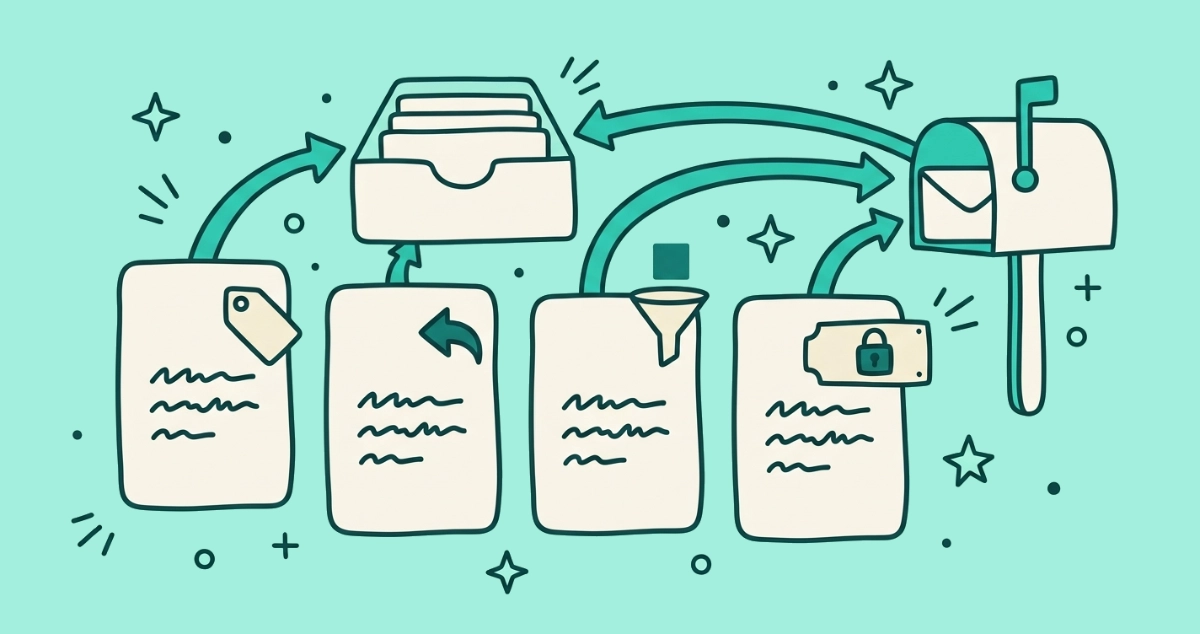
Each service is a forwarding relay: a sender emails your alias, the provider passes the message to your real inbox, and your true address stays out of the exchange. What separates them is price, how many aliases you get free, whether you can reply from one, whether they strip trackers, and whether you can carry the addresses to a domain you own.
| Service | Price | Free aliases | Reply from alias | Strips trackers | Custom domain you own |
|---|---|---|---|---|---|
| DuckDuckGo Email Protection | Free | Unlimited @duck.com | Yes | Yes | No |
| Apple Hide My Email | Needs iCloud+ | Unlimited (with iCloud+) | Yes, with iCloud+ | No | No |
| Firefox Relay | Free, premium ~$1/mo | 5 masks | Premium only | Yes | Premium subdomain, not owned |
| SimpleLogin (by Proton) | Free, premium ~$36/yr | 10 aliases | Yes | No | Premium only |
Prices and limits move, especially on the paid tiers, so treat the figures as a 2026 snapshot and check each site for the current number. The model matters more than the digits: one is free and unlimited, one rides a subscription you may already pay for, and two split a free tier from a cheap upgrade.
Apple Hide My Email: smoothest on an iPhone, if you pay for iCloud+
Apple Hide My Email is the least friction for anyone already inside the iCloud ecosystem. You generate a random address from Settings or Safari autofill, and it forwards to your real inbox. With an active iCloud+ subscription you can also send and reply from the alias, so the recipient never learns your real address, per Apple’s support pages.
Two things hold it back. It rides on a paid iCloud+ plan, and the free Sign in with Apple option only creates an alias during Apple sign-in and lets you reply to mail already sent to you. The newer catch is bigger. In June 2026 Apple said it would move newly generated aliases to an @private.icloud.com domain. According to TechCrunch (2026), existing addresses keep forwarding, but the dedicated domain makes a new alias identifiable as a mask, so a website can detect it and block the signup. Apple did not explain the change. Hide My Email also forwards messages untouched, so tracking pixels inside still fire.
DuckDuckGo Email Protection: the free pick with tracker removal
DuckDuckGo Email Protection is the strongest free option, and the one to hand a newcomer. It gives you one personal @duck.com address plus unlimited @duck.com aliases you generate on the spot, and it removes hidden email trackers before forwarding to whatever inbox you already use. According to DuckDuckGo’s help pages (2026), the relay scrubs trackers on its block list, adds link-tracking protection, and lets you reply from a Duck Address.
The trade-off is reach. You set it up and mint addresses through the DuckDuckGo browser or its extension rather than a standalone account you log into anywhere, and every alias lives on the @duck.com domain. You cannot move those addresses to a domain you control. For hiding your address on signups and killing open-tracking pixels at no cost, nothing on this list beats it.
Firefox Relay: cheap unlimited masks, plus a phone number
Firefox Relay sits in the middle: free to start, cheap to upgrade, and the only one of the four that also masks a phone number. The free tier gives you 5 email masks on a Mozilla domain and strips known trackers. Relay Premium costs about a dollar a month billed annually as of 2026, which lifts the cap to unlimited masks and adds replies, a custom subdomain, phone masking, and a switch that blocks promotional mail while still passing receipts and shipping notices through.
Confirm the current price and your country’s availability before you commit, since both change. The custom subdomain is convenient, but it still sits under a Mozilla domain, so it is not an address you own and cannot carry to another provider. Relay fits someone who wants generous masking on the cheap and values the phone-number masking that the others do not offer.
SimpleLogin: the one you can take with you
SimpleLogin, now owned by Proton, is the pick when portability is the point. Its free plan allows 10 aliases across shared domains and lets you reply from an alias, per its pricing page (2026). Premium, around $36 a year, unlocks unlimited aliases and, the reason to choose it, custom domains you own.
That last part is the whole game for long-term control. When your aliases live on a domain you control, you can switch providers or self-host without changing a single address, because SimpleLogin is open source. The cost is that it does not strip trackers by default, so pair it with a content blocker if pixels bother you. For a privacy setup you build once and never have to migrate, SimpleLogin is the durable choice, especially if you already pay for Proton.
What none of these services fix
Every service here shares one limit: an alias hides who you are, not how much mail arrives. A message sent to a live alias forwards straight to your inbox and stacks up exactly like before. You keep getting it until you disable that alias or unsubscribe from the sender. Worse, none of these tools touches the senders already in your real inbox, the two hundred newsletters you signed up for years before you installed a mask.
So aliases and unsubscribing do different jobs, and you need both. An alias guards the next signup, keeping your real address out of the data-broker pipeline. Unsubscribing removes a sender that already has you, at the source, on every device and every alias at once. Email Unsubscriber scans your Gmail or Outlook in the browser, lists every sender mailing you, and opts you out for real, whether you signed up with an alias or with your real address. The scan runs on your device, your email content never reaches our servers, and you pay once with nothing to cancel. If you only need cover for a single throwaway signup, a burner email address or a free plus-address in Gmail is lighter than a full alias account.
Which alias service should you pick?
Match the service to the one thing you care about most, and the choice gets simple.
- If you want free, unlimited, and tracker-stripping, use DuckDuckGo Email Protection. It asks for no payment and no separate account.
- If you live on an iPhone and already pay for iCloud+, Apple Hide My Email is the least effort, though watch the new
@private.icloud.comdomain that some sites may start blocking. - If you want cheap unlimited masks and phone masking, Firefox Relay Premium is the value pick at roughly a dollar a month.
- If you want addresses you own and can carry between providers, choose SimpleLogin with a custom domain.
Whichever you pick, treat it as armour for future signups, then run one unsubscribe pass to clear the senders already flooding you. The two moves together are what actually keep an inbox quiet: fewer senders have your real address, and the ones who do have been told to stop.